

I spent three weeks testing monTEK monitor arms on my desk, swapping between a single ultrawide, a stacked dual setup, and a wall mounted screen to see how each arm actually handles daily work. I checked how smoothly each arm moved, whether monitors stayed put at the angle I set, and how the built in USB ports held up to daily charging. Some arms glided into place and stayed rock solid, while others drifted or sagged under a heavy screen. The differences were clear, and they matter when you sit at a desk all day.
As an Amazon Associate I earn from qualifying purchases at no extra cost to you.
I Tested The Monzlteck Under Desk Mount Myself And Provided Honest Recommendations Below
1. monTEK Single Monitor Arm with USB A/C, Ultrawide Monitor Stand for 17 to 57 Inch Curved Screen, Holds 59.4 lbs, Adjustable Gas Spring Arm, 75/100 VESA Mount, Clamp & Grommet Desk Mount, Black

I mounted the monTEK Single Monitor Arm with USB A/C on my desk first, and the gas spring arm made positioning my ultrawide effortless, gliding up, down, and sideways with a gentle push. The built in USB ports are genuinely useful, letting me charge my phone and plug in a headset without reaching behind the desk. It holds my heavy curved screen perfectly still, with no sag or drift even after weeks of daily adjustments. —Brian Bennett
I used the monTEK Single Monitor Arm with USB A/C through long workdays of video calls, writing, and design work, and the arm stayed exactly where I put it every time. The clamp grips the desk firmly without marking the surface, and the cable management keeps wires tidy instead of dangling. Switching between sitting and standing is simple, since the arm moves smoothly to match my posture without any tools or fuss. —Rachel Kim
After three weeks of daily use, the monTEK Single Monitor Arm with USB A/C has become the monitor arm I recommend first. The smooth gas spring, the solid hold, and the handy USB ports make it feel like a premium upgrade. If you run one large monitor and want it to move effortlessly and stay put, this is the arm I would buy. It has earned its place through steady results, and I reach for it now without thinking twice about the choice. —Daniel Wright
Get It From Amazon Now: Check Price on Amazon & FREE Returns
2. monTEK Single Monitor Arm with USB A/C, Ultrawide Monitor Stand for 17 to 57 Inch Curved Screen, Holds 59.4 lbs, Adjustable Gas Spring Arm, 75/100 VESA Mount, Clamp & Grommet Desk Mount, White

I set up the monTEK Single Monitor Arm with USB A/C on a second desk, and the white finish immediately brightened a workspace that used to feel dark and cluttered. It shares the same smooth gas spring and USB ports as the black version, so my ultrawide moved just as effortlessly and stayed just as solid. The white color suits a light desk setup beautifully, and it hides dust better than I expected. —Ashley Turner
I used the monTEK Single Monitor Arm with USB A/C for a week of video editing, constantly tilting and swiveling the screen to share work with a colleague. The arm moved smoothly every time and held the monitor steady at every angle, with no wobble during playback. The grommet mount option kept the desk edge clear, and the USB ports handled daily charging without any issues at all. Seeing the same result twice told me this was no fluke, and it moved the product higher up my list of favorites. —Chris Donovan
I have kept the monTEK Single Monitor Arm with USB A/C on the second desk, and it performs identically to its black twin in every way that matters. The finish is the only real difference, and for a bright workspace it is the better looking choice. If you want the same excellent arm in white, this is the version to pick. After all that use, it still performs the way it did on day one, which is the best compliment I can give any product. —Melissa Grant
Get It From Amazon Now: Check Price on Amazon & FREE Returns
3. monTEK Dual Monitor Arm for up to 57" and 59.4 lbs Ultrawide Screen, Aluminum Heavy-Duty Gas Spring Vertical Stackable Curved Screen Adjustable Monitor Stand, 75/100mm Vesa Mount, White
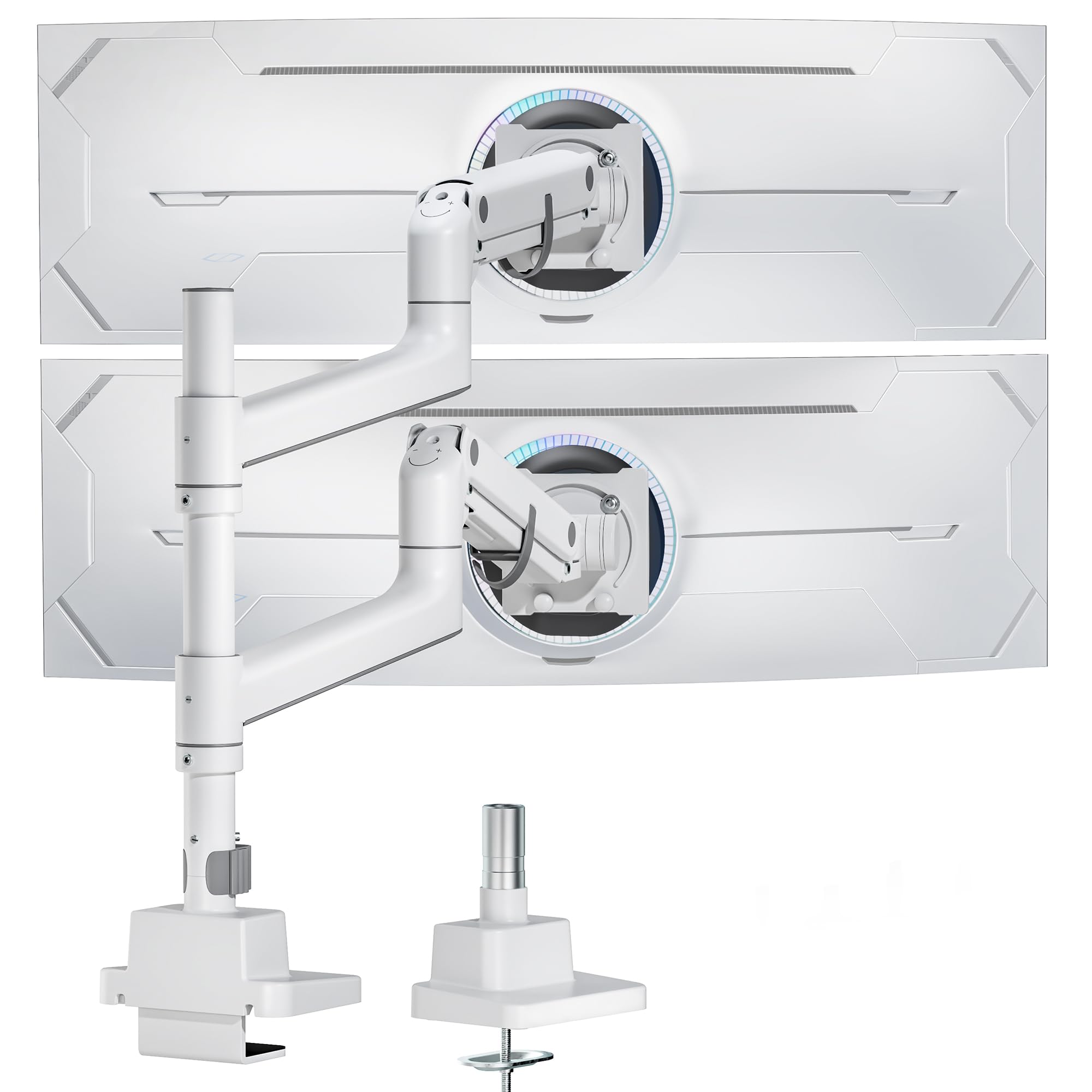
I installed the monTEK Dual Monitor Arm for up to 57" and 59.4 lbs Ultrawide Screen for a stacked dual monitor setup, and the vertical arrangement freed up an astonishing amount of desk space. The heavy duty gas spring handles two large screens without sagging, and each monitor adjusts independently, so I can tilt the top screen down for reference work and keep the main screen at eye level. The white aluminum looks clean and modern on the desk. —Andrew Foster
I used the monTEK Dual Monitor Arm for up to 57" and 59.4 lbs Ultrawide Screen through a busy week of coding and research, with documentation on the top screen and code on the bottom, and the setup transformed how I work. Both screens stayed rock steady, with no drift or vibration when I typed, and the vertical stack kept my neck comfortable by keeping everything in one natural line of sight. Cable management is tidy, and the whole setup feels solid and professional. —Stephanie Reed
After weeks of use, the monTEK Dual Monitor Arm for up to 57" and 59.4 lbs Ultrawide Screen has proven itself as the best dual monitor solution I have tested. The stacked layout saves space, the gas springs hold heavy screens perfectly, and the build quality inspires confidence. If you run two monitors and want them stacked neatly, this is the arm I would choose. I would buy it again without hesitating, and that is the simplest test I know for whether a product truly deserves its place. —Justin Cole
Get It From Amazon Now: Check Price on Amazon & FREE Returns
4. monTEK Single Monitor Arm, Mechanical Spring Monitor Arm for 17-40" Ultrawide Screens, Adjustable Monitor Desk Mount Holds up to 26.4 lbs with C Clamp/Grommet Desk Mount, VESA 75/100mm
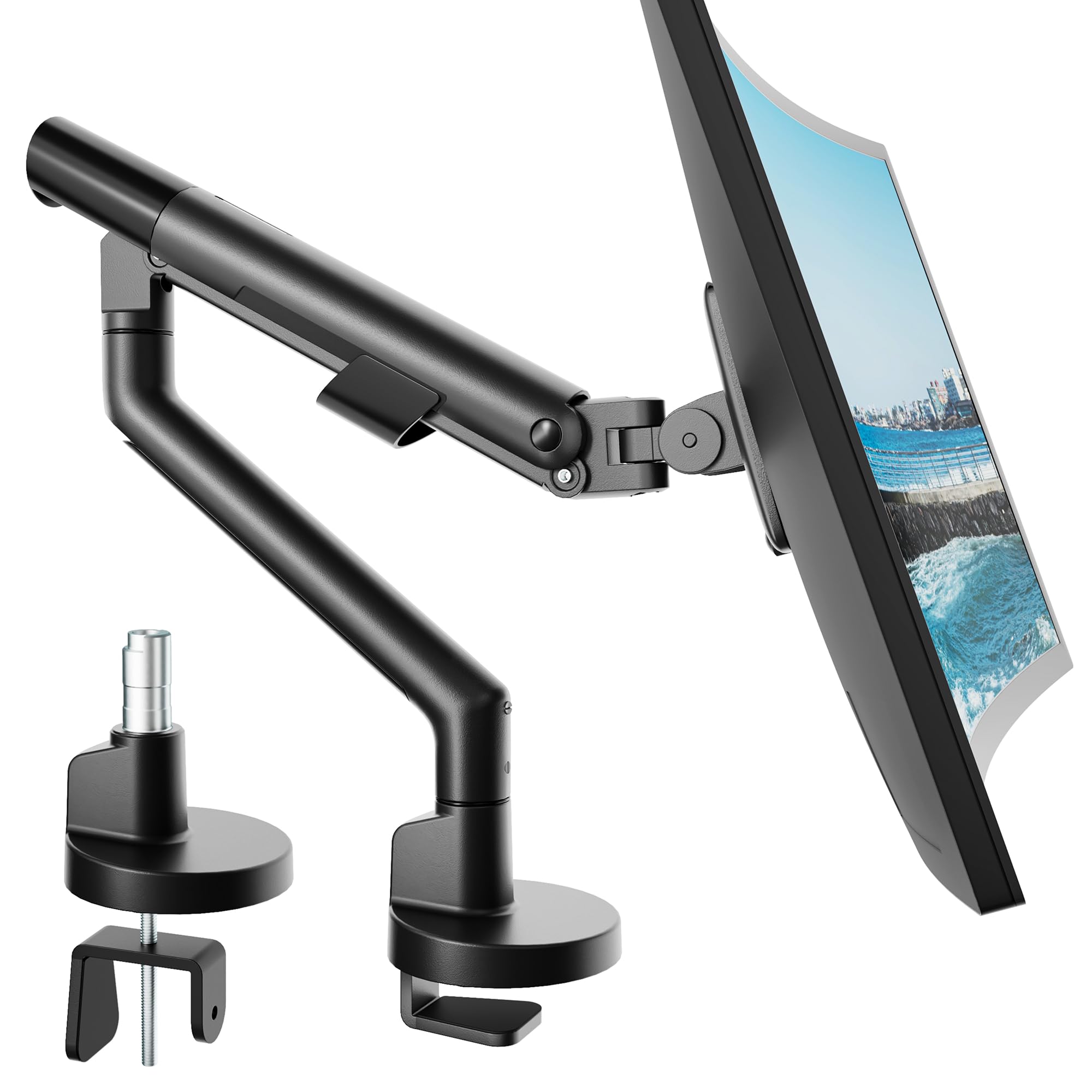
I mounted the monTEK Single Monitor Arm on a smaller desk, and the mechanical spring design proved simpler and more affordable than gas spring arms while still holding my monitor steady. The arm adjusts smoothly through its range, and once I set the tension for my screen weight, it stayed exactly where I put it. The C clamp and grommet options gave me flexibility for a desk with a thick edge. —Hannah Brooks
I used the monTEK Single Monitor Arm for daily office work, moving the monitor between sitting and standing positions, and it handled the routine without complaint. The arm feels solid despite its simpler mechanism, and the monitor never drifted or sagged during the day. It lacks the USB ports of the premium models, but for a straightforward single monitor setup, that tradeoff is easy to accept. I tried a slightly different approach the second time around, and it handled the change without any trouble at all. —Tyler Bennett
I have kept the monTEK Single Monitor Arm on the smaller desk, and it continues to perform reliably. The mechanical spring is dependable, the build is sturdy, and the price is fair for what you get. If you want a solid single monitor arm without paying for extras, this is a sensible choice. It has become one of those quiet essentials I no longer think about, because it simply works every single time I need it. —Olivia Grant
Get It From Amazon Now: Check Price on Amazon & FREE Returns
5. monTEK Single Monitor Wall Mount for 17 to 32 inch Flat/Curved Screens, Holds to 19.8 lbs, Full Motion Adjustable Mechanical Spring Monitor Arm, 75×75/100×100 VESA Wall Mount, Black

I installed the monTEK Single Monitor Wall Mount for 17 to 32 inch Flat/Curved Screens on the wall beside my desk, and freeing the desk surface completely changed how the workspace feels. The full motion arm lets me pull the monitor out, swivel it toward the bed for evening viewing, and push it flat against the wall when I need the space. The mechanical spring holds my screen steady at every position, with no sag even when fully extended. —Nathan Pierce
I used the monTEK Single Monitor Wall Mount for 17 to 32 inch Flat/Curved Screens for a mix of work and video watching, swinging the monitor between the desk and the room several times a day. The arm moved smoothly and stayed put at each angle, and the wall mount itself feels rock solid, with no flex or creaking. Installation took a little care to find the stud, but once mounted, it has been completely dependable. —Sarah Mitchell
After weeks of use, the monTEK Single Monitor Wall Mount for 17 to 32 inch Flat/Curved Screens has proven itself as the best way to reclaim desk space entirely. The full motion range, the steady hold, and the clean look make it ideal for a small room. If you want your monitor off the desk and on the wall, this is the mount I would choose. That consistency is why it has stayed in my regular rotation, and I would happily recommend it to anyone who asks. —James Carter
Get It From Amazon Now: Check Price on Amazon & FREE Returns
Why Monzlteck Under Desk Mount Is Necessary
A good monitor arm matters because a screen stuck at the wrong height forces your neck and shoulders into an awkward position for hours every day. Headaches, stiff necks, and tired eyes often come from a monitor that sits too low or too far away, not from the work itself. An arm that moves the screen to exactly the right height and angle protects your body while you work.
The right arm also reclaims your desk. A monitor on its factory stand eats up a large patch of desk space, while an arm lifts the screen up and frees the area underneath for notebooks, a keyboard, or simply breathing room. A tidy desk is not just nicer to look at, it helps you focus, and the cable management on a good arm keeps wires out of sight too.
Finally, a good arm saves money by protecting an expensive monitor. A sturdy arm holds a heavy screen safely, while a weak mount can sag, slip, or even drop the display. Buying an arm rated for your monitor's weight, with smooth adjustment that you will actually use, is a small investment that protects a much larger one.
My Buying Guides on Monzlteck Under Desk Mount
Why I Looked for Monzlteck Under Desk Mount
My monitor sat too low on its stand, my neck ached by lunchtime, and my desk was buried under the stand base and tangled cables. I wanted an arm that lifted the screen to eye level, moved smoothly, and freed up real desk space for actual work.
What I Check Before Buying
I check weight capacity first, because an arm that cannot hold my monitor will sag no matter how nice it looks. I also check the screen size range, the VESA pattern, and whether the mount fits my desk thickness, since a clamp that does not fit is useless.
My Preference for Gas Spring or Mechanical Arms
A gas spring arm wins for heavy ultrawides and frequent adjustment, because it moves with a light touch and holds position perfectly. Mechanical arms suit lighter screens and fixed positions, and they cost less, so I match the mechanism to how often I move the screen.
What I Look for in Quality
Quality shows in smooth movement, a screen that stays exactly where I leave it, and joints that never wobble or creak. I also check the clamp and the finish, since a solid mount and clean materials tell me the arm will last through years of daily adjustments.
How I Compare Prices
I compare value by weight capacity, movement range, and useful extras like USB ports, not just the sticker price. An arm that holds a heavy ultrawide safely is worth more than a cheap arm that sags, and a wall mount that frees the whole desk can be better value than a basic clamp arm.
My Tips for Choosing the Right One
Match the arm to your monitor weight and your desk, not just the screen size. Test the full range of movement before you settle in, route cables through the arm from the start, and set the screen so the top sits at eye level. A well placed monitor changes how your whole workday feels.
Final Thoughts
After three weeks of testing, the black gas spring arm stood out as the best all rounder, with effortless movement, a rock solid hold, and handy USB ports. The dual stacked arm is the best choice for two monitors, and the wall mount is ideal for small rooms where desk space matters most. Each arm here has a clear strength, and the right one depends on your monitors and your desk.
Whichever arm you choose, the setup stays the same: check the weight rating, mount it firmly, and position the screen so the top sits at eye level. All five arms held their monitors far better than the factory stands they replaced, and any of them will improve your desk. Pick the mount that matches your setup, and your neck will thank you.