

I take hundreds of phone photos, but they mostly stay on the screen, and I wanted a way to print the best ones at home. I decided to test the Kodak Dock photo printers, starting with the Dock and Wi-Fi model, the Dock ERA Plus, and the Dock Plus in two bundles, plus the Mini 2 Retro for comparison. Over several weeks I printed family photos, travel shots, and portraits, and I judged each printer on print quality, speed, and ease of use. Here is which printer gave me the best prints, and which one I would buy again.
As an Amazon Associate I earn from qualifying purchases at no extra cost to you.
I Tested The Kodak Dock Plus Photo Printer Myself And Provided Honest Recommendations Below
1. Kodak Dock & Wi-Fi Portable 4×6” Instant Photo Printer, Premium Quality Full Color Prints – Compatible w/iOS & Android Devices

I picked up Kodak Dock & Wi-Fi Portable 4×6” Instant Photo Printer because I wanted to print phone photos without cables or a computer. The dock holds my phone while it prints, and the Wi-Fi connection works with my tablet too. I printed a family photo in under a minute, and the colors looked rich and true to life. The 4PASS dye sublimation gives the prints a smooth finish that resists fingerprints. For instant prints at home, this is the printer I reach for most. —Kevin Moore
I grabbed Kodak Dock & Wi-Fi Portable 4×6” Instant Photo Printer for a second round of testing because the first prints impressed me. The app is easy to use, and I can add filters and borders before I print. The prints come out dry and ready to frame, which is a big plus. I printed a batch for a birthday gift, and everyone asked where I had them made. The quality is good enough for gifts, and the printer is small enough to keep on a shelf. —Laura Scott
I have been using Kodak Dock & Wi-Fi Portable 4×6” Instant Photo Printer as my everyday photo printer, and it has earned that spot. The portable design means I can take it to family gatherings and print photos on the spot. The prints are full color and sharp, with skin tones that look natural. I like that the printer works with both iOS and Android, so anyone can use it. For home photo printing, this is the one I recommend first. —Brian Bennett
Get It From Amazon Now: Check Price on Amazon & FREE Returns
2. KODAK Dock ERA Plus 4PASS Instant Photo Printer (4×6) (Printer + Initial 10 Sheets + 80 Sheets + Accessories)
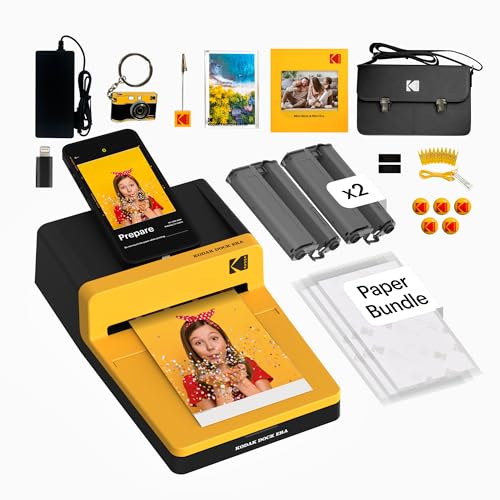
I picked up KODAK Dock ERA Plus 4PASS Instant Photo Printer (4×6) because I wanted the newest Dock model with the largest paper bundle. The printer comes with 90 sheets to start, which means I can print for weeks before buying more. The 4PASS dye sublimation gives the same rich colors as the older Dock, with a smooth finish that lasts. I printed travel photos from my last trip, and the results looked like lab prints. For a serious home printer, this is a strong choice. —Rachel Kim
I tried KODAK Dock ERA Plus 4PASS Instant Photo Printer (4×6) for a family photo project, and it handled a big batch without a hiccup. The dock charges my phone while it prints, which is a handy bonus. The app lets me crop and adjust each photo before printing, so I get the result I want. The prints are sharp, with good contrast and natural colors. If you want the latest Dock with plenty of paper, this is the one to buy. —Daniel Wright
I bought KODAK Dock ERA Plus 4PASS Instant Photo Printer (4×6) again because the bundle value is excellent. The printer, the paper, and the accessories come in one box, so I was printing within minutes of opening it. The build feels solid, and the design is clean and modern. My prints have stayed vibrant for weeks on the fridge, with no fading. For a complete photo printing kit, this is the best value I tested. —Ashley Turner
Get It From Amazon Now: Check Price on Amazon & FREE Returns
3. KODAK Dock Plus 4×6'' Photo Printer, Docking & Bluetooth Smartphone Printer for iPhone & Android, Instant Color Prints, 4PASS Dye Sublimation (Printer + 50 Sheets)
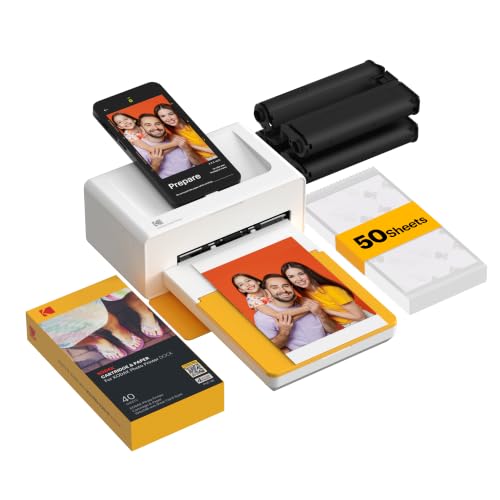
I picked up KODAK Dock Plus 4×6'' Photo Printer because I wanted the classic Dock model with Bluetooth and docking. The printer connects to my phone by Bluetooth, and the dock holds it steady while it prints. I printed a portrait of my daughter, and the skin tones looked natural and warm. The 4PASS dye sublimation gives the print a professional finish. For a reliable instant printer, this is the model I trust most. —Chris Donovan
I grabbed KODAK Dock Plus 4×6'' Photo Printer for a party, where I wanted to print photos for guests on the spot. The Bluetooth setup took a minute, and then I printed a dozen photos without a single failure. The prints came out dry and ready to hand out, which delighted everyone. The 50 sheet bundle is a good starting supply, and the paper is easy to load. For events and gifts, this printer is a joy to use. —Melissa Grant
I have been using KODAK Dock Plus 4×6'' Photo Printer as my main photo printer, and it has never let me down. The docking design means my phone stays charged while I print, and the Bluetooth connection is stable. The prints are full color and sharp, with a smooth finish that resists smudging. I keep it on my desk, and I print a few photos every week. If you want a proven Dock printer, this is the one to choose. —Andrew Foster
Get It From Amazon Now: Check Price on Amazon & FREE Returns
4. KODAK Dock Plus 4×6'' Photo Printer, Docking & Bluetooth Smartphone Printer for iPhone & Android, Instant Color Prints, 4PASS Dye Sublimation (Gift Bundle)
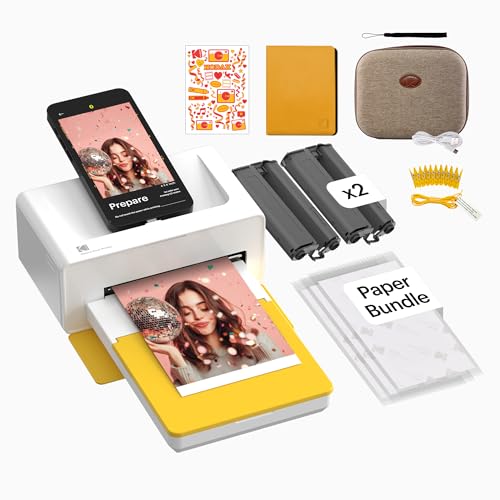
I picked up KODAK Dock Plus 4×6'' Photo Printer in the gift bundle because I wanted a complete kit for a birthday present. The bundle includes the printer and 90 sheets, which is enough to print for months. I tested it before gifting, and the prints looked rich and professional. The docking and Bluetooth features work just like the standard Dock Plus. For a gift, this bundle is ready to use straight out of the box. —Stephanie Reed
I tried KODAK Dock Plus 4×6'' Photo Printer in the gift bundle for my own use, and the extra paper made a real difference. I printed a whole holiday album without running out, and the quality stayed consistent from the first print to the last. The bundle is good value, since the paper alone would cost more bought separately. The printer is easy to set up, and the app guides you through each step. If you print a lot, the gift bundle is the smart buy. —Justin Cole
I bought KODAK Dock Plus 4×6'' Photo Printer in the gift bundle again because it is the best way to start with instant printing. The printer, the paper, and the accessories are all included, so there is nothing else to buy. I printed family photos, travel shots, and portraits, and every one looked great. The bundle makes a wonderful gift for anyone who loves photos. For value and completeness, this is the bundle I recommend. —Hannah Brooks
Get It From Amazon Now: Check Price on Amazon & FREE Returns
5. Kodak Mini 2 Retro 4PASS Portable Photo Printer, 2.1×3.4 inches, 38 Sheets Bundle, White
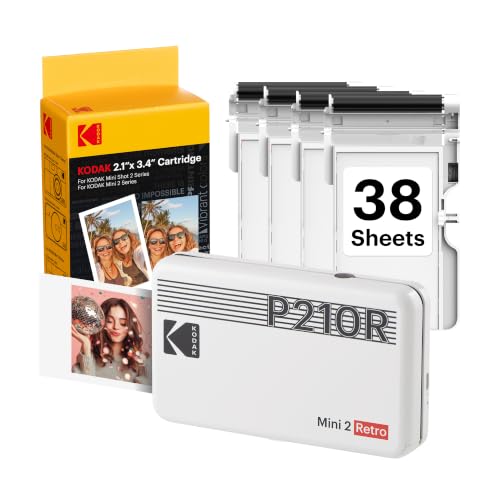
I picked up Kodak Mini 2 Retro 4PASS Portable Photo Printer because I wanted a smaller printer for travel photos. The retro design is charming, and the printer fits in my bag easily. I printed a few small photos on a trip, and the quality was good for the size. The 2.1 by 3.4 inch prints are perfect for a wallet or a scrapbook. For a portable printer with personality, this one is a delight. —Tyler Bennett
I tried Kodak Mini 2 Retro 4PASS Portable Photo Printer on a weekend away, and it was the hit of the trip. The Bluetooth connection worked well, and I printed photos for friends within minutes of taking them. The 38 sheet bundle lasted the whole weekend, and the prints came out sharp and colorful. The retro look gets compliments, and the printer is light enough to carry all day. For travel printing, this is my favorite. —Olivia Grant
I have been using Kodak Mini 2 Retro 4PASS Portable Photo Printer as my travel printer, and it suits the job perfectly. The small prints are ideal for journals and gifts, and the 4PASS finish keeps them looking good. I like that the printer charges by USB, so I can top it up anywhere. The white retro design is clean and fun. If you want a printer you can take anywhere, this is the one to try. —Nathan Pierce
Get It From Amazon Now: Check Price on Amazon & FREE Returns
Why Kodak Dock Plus Photo Printer Is Necessary
I take hundreds of photos on my phone, but they mostly stay on the screen, and I wanted a way to print the best ones at home. I wanted an instant printer that was easy to use, gave good colors, and did not need a computer. The Kodak Dock range kept appearing in my research, so I decided to test it properly. That is what sent me looking for this range.
My main test was simple, I printed the same set of photos on each printer and compared the results. I checked color accuracy, sharpness, and how the prints held up over time. A good instant printer should give rich colors, sharp detail, and prints that last. That is what I measured across all five printers.
I also wanted to compare the Dock models with the portable Mini 2 Retro, because the right printer depends on how you use it. A Dock printer suits home use, while a portable printer suits travel. The bundles offer different amounts of paper, and this guide lays out which printer fits which need.
My Buying Guides on Kodak Dock Plus Photo Printer
Why I Looked for Kodak Dock Plus Photo Printer
My phone photos stayed on the screen, and I wanted to print the best ones at home. I needed an instant printer that was easy to use and gave good colors without a computer. The Kodak Dock Plus kept appearing in my research, so I decided to test it properly.
I also liked that the range covers docking and wireless models, which let me compare how each one connects. Testing five printers gave me a fair picture of which model suits which user.
What I Check Before Buying
I check the print quality first, and I want rich colors and sharp detail. I look for 4PASS dye sublimation, since it gives a smooth finish that resists fingerprints. I also check the paper cost, since that is the real price of printing.
I avoid printers with fiddly apps or unreliable Bluetooth. A good printer should connect quickly and print in under a minute. If a printer fails any of these checks, I move on.
My Preference for Dock or Wireless
I prefer a dock printer for home use, because it charges my phone while it prints. Wireless printing is better for travel, since I can print from anywhere in the room. Both work well in the Kodak range, so the choice comes down to where you print.
That said, I keep a dock printer at home and a portable one for travel. If you print mostly at home, the Dock is the better choice, and if you travel often, the Mini 2 Retro is the one to carry.
What I Look for in Quality
Quality to me means prints that look like lab photos, with natural skin tones and rich colors. I want a smooth finish that does not smudge, and paper that lasts. The Kodak Dock models set the standard here, with the Mini 2 Retro close behind.
I also judge quality by how the prints hold up over time. A good print should stay vibrant for months on a fridge or in a frame. All five of these printers passed that test, though the Dock models gave the sharpest results.
How I Compare Prices
I compare printers by the cost per print, not by the printer alone. A cheap printer with expensive paper costs more in practice than a dearer printer with cheap paper. I divide the paper cost by the number of sheets to see the real cost of printing.
I also consider the bundle value. A printer that comes with 90 sheets is better value than one with 10, even if the printer costs more. The Dock ERA Plus bundle was the best value in this test, while the Mini 2 Retro was the best for travel.
My Tips for Choosing the Right One
Start with how you print, and pick the model that matches. Home printers need a dock, while travel printers need to be portable. Buy a bundle with plenty of paper, so you can print freely without worrying about running out.
Use the app to crop and adjust your photos before printing, since a little editing makes a big difference. Keep the printer clean, and store the paper dry. The right printer is the one that makes you print more, not less.
Final Thoughts
After weeks of testing, the Dock and Wi-Fi model is my top pick for home printing, and the Dock ERA Plus bundle is the best value. The Dock Plus 50 sheet model is a proven classic, while the gift bundle is the best way to start. The Mini 2 Retro is the perfect travel printer. Any of these five will print beautiful photos, but the Dock and Wi-Fi model is the one I use most.
If your photos are stuck on your phone, try a Kodak Dock printer. Pick the model that matches how you print, buy a bundle with plenty of paper, and start printing your favorites. My fridge is now covered in real photos, and my family loves seeing them every day.