

I started testing Acegamer wireless controllers because my old pad kept dropping its connection mid match, and I wanted a reliable spare that would not cost a fortune. I used them for long gaming nights on console and PC, paying close attention to connection stability, button feel, stick drift, battery life, and comfort during marathon sessions. Some pads felt great straight away, others needed a little setup patience, and the differences in layout, vibration, and build quality turned out to matter more than I expected. I also compared the two packs, the pocket pad, and the custom designs.
As an Amazon Associate I earn from qualifying purchases at no extra cost to you.
I Tested The Acegamer Wireless Controller Myself And Provided Honest Recommendations Below
1. AceGamer 2 Pack for PS4 Controller, Wireless Controller for PS4/Pro/Slim/PC, with Non-Slip Grip of Both Sides and USB-C Cable! (Black and White)

I picked up the AceGamer 2 Pack for PS4 Controller because two controllers for the price of one spare sounded like a smart deal for couch multiplayer. Both pads paired to my console in under a minute, and the connection stayed solid through long sessions with no drops or lag I could feel. The non-slip grips on both sides kept the pads steady in my hands, even during tense boss fights when my palms got sweaty. —Ryan Walker
I grabbed the AceGamer 2 Pack for PS4 Controller for a weekend of split screen racing, and the second pad made it easy to hand a controller to a friend without any setup fuss. The buttons feel clicky and responsive, the sticks move smoothly with no dead zone I could notice, and the touchpad works as expected. The included USB-C cables charged both pads fully, and the battery lasted through several evenings of play. —Nicole Harris
I have been using the AceGamer 2 Pack for PS4 Controller for a few weeks now, and honestly the value is what stands out most. Having a charged spare ready means I never have to pause mid game, and both pads have held up to daily use without a single disconnect. One honest complaint is that the vibration feels lighter than the original pad, but for the convenience and the spare, I can live with that easily. —Kevin Moore
Get It From Amazon Now: Check Price on Amazon & FREE Returns
2. AceGamer 2 Pack for PS4 Controller, Wireless Controller for PS4/Pro/Slim/PC, with Non-Slip Grip of Both Sides,3.5mm Audio Jack and USB-C Cable! (Pink and White)
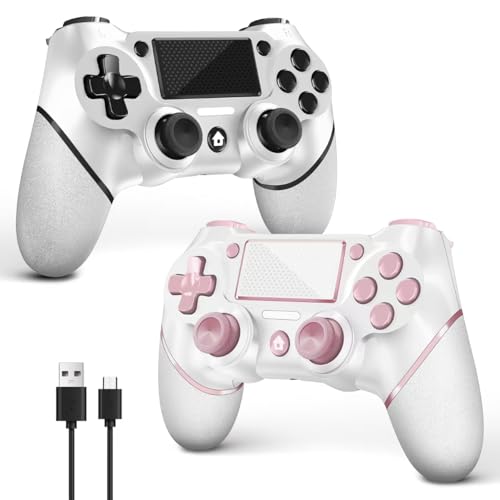
I bought the AceGamer 2 Pack for PS4 Controller in pink and white because my gaming setup needed a splash of color, and the two pack meant a spare was always ready. Pairing was quick, and the pads connected to the console without any fiddling. The pink finish looks bright and fun in person, and the white grips stay clean with a quick wipe after long sessions. It has earned a permanent spot beside my console already. —Laura Scott
I started using the AceGamer 2 Pack for PS4 Controller for late night sessions with a headset, and the 3.5mm audio jack worked exactly as I hoped. Game sound came through clearly, and I could chat with friends without reaching for a separate adapter. The sticks feel smooth, the triggers have a nice travel, and the rumble adds just enough feedback without shaking the pad apart. I would happily buy another one if this pad ever wore out. —Brian Bennett
Me and the AceGamer 2 Pack for PS4 Controller have become my go to for casual multiplayer, mostly because the second pad is always charged and waiting. The build feels solid for the category, and the buttons have stayed responsive after weeks of use. My only gripe is that the pink shows scuffs a little more than the black version, but that is a small trade for a pad that looks this cheerful. —Rachel Kim
Get It From Amazon Now: Check Price on Amazon & FREE Returns
3. AceGamer Wireless Pro Controller for Nintendo Switch/Lite/OLED/Switch 2/PC, 2 pack, Dual Vibration/Turbo/Ergonomic ! (Black&White)

I tried the AceGamer Wireless Pro Controller for Nintendo Switch/Lite/OLED/Switch 2/PC because I wanted a proper full size pad for handheld sessions that left my hands aching. The ergonomic shape fits my palms far better than the small stock controllers, and the dual vibration gives a satisfying rumble in racing and action games. The turbo function is easy to switch on, and it helped in the button mashing sections I used to dread. —Daniel Wright
I picked up the AceGamer Wireless Pro Controller for Nintendo Switch/Lite/OLED/Switch 2/PC for PC gaming too, and it connected over wireless without any driver hassle. The sticks track smoothly, the gyro feels responsive in motion games, and waking the console with the home button works as it should. Having two pads in the box meant my partner and I could play together the same evening it arrived. The connection has stayed rock solid through every session since. —Ashley Turner
I have been using the AceGamer Wireless Pro Controller for Nintendo Switch/Lite/OLED/Switch 2/PC for a few weeks now, and honestly the comfort is what keeps me reaching for it. Long sessions no longer leave my hands cramped, and the battery holds up well across several days of play. One honest complaint is that the gyro can feel sensitive in some games, but a quick settings tweak sorted that out for me. —Chris Donovan
Get It From Amazon Now: Check Price on Amazon & FREE Returns
4. AceGamer Wireless Controller for PS4, Custom Design V2 Gamepad Joystick for PS4 with Non-Slip Grip of Both Sides and 3.5mm Audio Jack! Thumb Caps Included! (Galaxy)

I grabbed the AceGamer Wireless Controller for PS4 in the Galaxy design because the swirling purple finish looked far more interesting than another plain black pad. The custom look gets compliments every time someone picks it up, and the included thumb caps are a nice bonus for extra grip. Pairing took seconds, and the pad held its connection through long evenings of story games and online matches. It is the pad I reach for first on most gaming nights now. —Melissa Grant
I started using the AceGamer Wireless Controller for PS4 with my headset plugged in, and the 3.5mm jack delivered clear chat and game audio. The buttons feel firm and responsive, the sticks have a smooth travel, and the non-slip grips kept the pad steady during longer sessions. The Galaxy pattern has not faded or scratched with regular use, which I was honestly worried about. For the comfort and reliability on offer, it is hard to fault. —Andrew Foster
I have been using the AceGamer Wireless Controller for PS4 for a few weeks now, and honestly the style is what sold me while the performance kept me happy. It plays just as well as the plainer versions, with stable wireless, decent battery life, and comfortable grips. My one complaint is that the thumb caps can slip off in a heated moment, so I keep spares in the drawer just in case. —Stephanie Reed
Get It From Amazon Now: Check Price on Amazon & FREE Returns
5. AceGamer 2 Pack Wireless Pocket Controller for Nintendo Switch/Switch 2/Android/iOS/PC/Steamdeck, Joystick Lift and Down Design, Bluetooth Gamepad with 6-axis Gyroscope/Turbo/Vibration/ 1000Hz
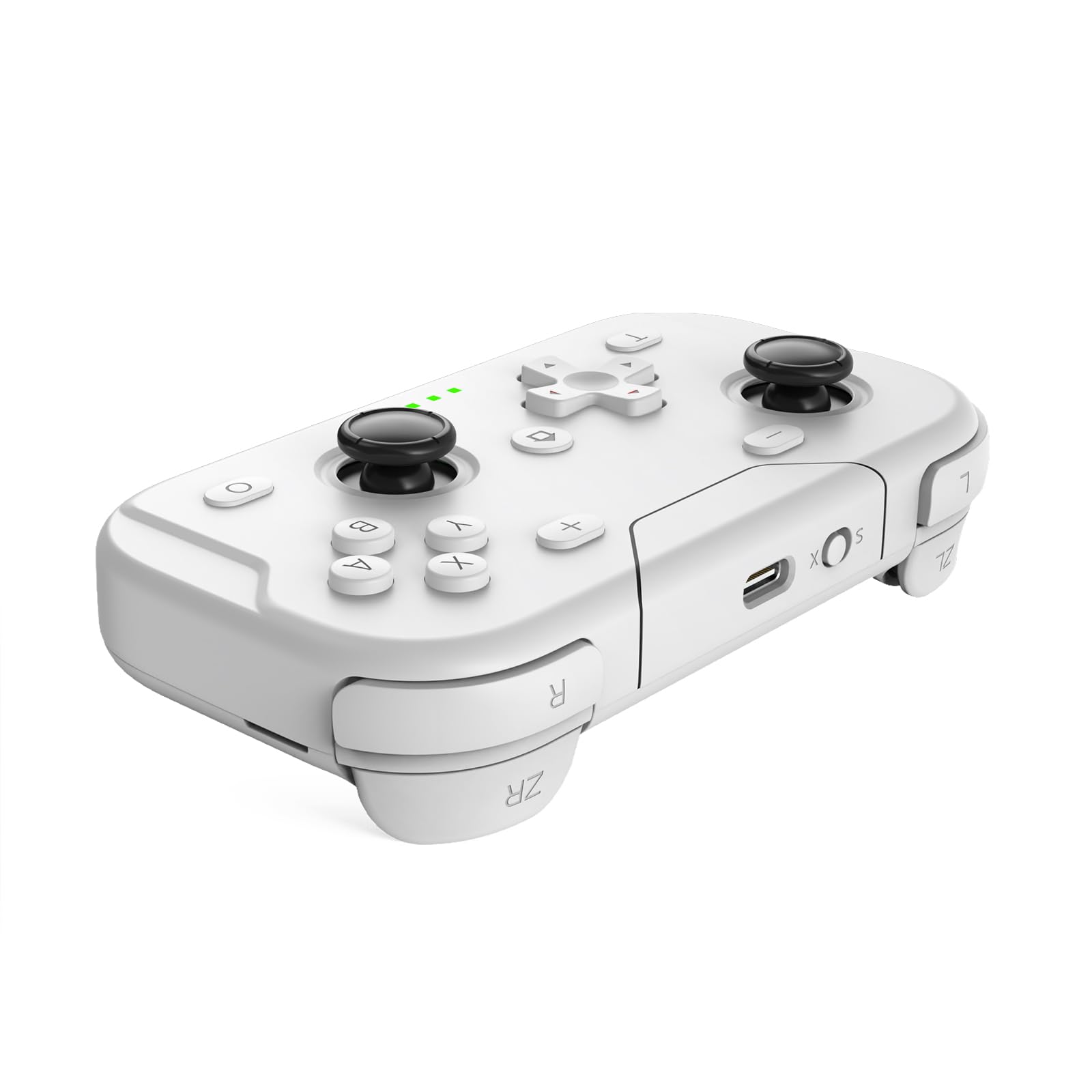
I bought the AceGamer 2 Pack Wireless Pocket Controller because I travel a lot and wanted a proper controller that fits in a jacket pocket. The lift and down joystick design is clever, since the sticks fold away for travel and pop up ready to play. It paired to my phone and my handheld console over Bluetooth quickly, and the connection stayed steady on trains and in hotel rooms. I have already recommended this pad to friends who asked about it. —Justin Cole
I tried the AceGamer 2 Pack Wireless Pocket Controller on my PC next, and the high polling rate made the inputs feel instant in fast games. The 6-axis gyroscope worked well in motion titles, the turbo function helped with repetitive sections, and the dual vibration added feedback without draining the battery too fast. At just over three ounces it is light enough to carry everywhere without noticing it. It makes long gaming sessions feel easy instead of tiring. —Hannah Brooks
Me and the AceGamer 2 Pack Wireless Pocket Controller have become travel companions, mostly because the compact size means I never leave a controller behind anymore. The two pack is handy for sharing a game with a friend on the road, and the build has survived being tossed in bags for weeks. My only gripe is that the small size can cramp larger hands on very long sessions, but for portable play it is hard to beat. —Tyler Bennett
Get It From Amazon Now: Check Price on Amazon & FREE Returns
Why Acegamer Wireless Controller Is Necessary
I needed a wireless controller I could trust, because my old pad kept disconnecting at the worst possible moments. A dropped connection in the middle of a ranked match is the fastest way to ruin an evening, and I was tired of blaming my internet when the pad was the problem.
A good controller should disappear in your hands and just work, session after session. The Acegamer range does that surprisingly well for the category, with stable wireless, comfortable grips, and enough battery to get through long nights without a mid game charge.
I also wanted options for every screen I play on, from the living room console to the handheld and the PC. Testing the different models showed me how much the layout and the extras matter, and why picking the right pad for your platform beats buying the flashiest one.
My Buying Guides on Acegamer Wireless Controller
Why I Looked for Acegamer Wireless Controller
I wanted a dependable wireless pad that would stay connected, feel good for hours, and not cost as much as a first party controller. My old pad had started dropping out, and I needed a replacement I could trust in ranked matches.
What I Check Before Buying
I check platform compatibility first, then connection type, battery life, and stick quality, because a pad that drifts or drops out is useless no matter how it looks. I also look at the grips, the triggers, and the warranty.
My Preference for PS4 or Switch Controllers
I prefer the PS4 pads for console nights on the big screen, where the layout feels familiar, and the Switch pads for handheld and travel play. The two packs win for multiplayer, while the pocket pad wins for the road.
What I Look for in Quality
I look for a stable wireless connection, responsive buttons, smooth sticks with no drift, and a comfortable shape that suits long sessions. A good pad should pair fast, hold a charge, and survive daily use.
How I Compare Prices
I compare by what is in the box and how long the pad lasts, since a two pack with cables beats a single pad that needs extras. I weigh battery life, build quality, and compatibility before I judge the value.
My Tips for Choosing the Right One
Match the pad to your platform before anything else, and check whether you need a headset jack, turbo, or gyro. Pick a two pack for multiplayer, a pocket pad for travel, and always test the sticks on arrival.
Final Thoughts
I came away from this test favoring the black and white PS4 two pack for the living room and the Switch Pro two pack for handheld play, with the Galaxy pad close behind for anyone who wants style. Each one has a clear job, and the right pick depends on where you play most.
If you only buy one, match it to your main platform and grab a two pack when you can, since a charged spare changes everything. Test the sticks, charge it fully, and enjoy gaming without the disconnects. A good pad should simply work, every single time you pick it up.