

I started streaming console gameplay regularly and ran into a classic problem: my capture card grabbed the game audio, but my party chat never made it into the live stream. The Elgato Chat Link Pro promised to fix that by splitting chat and game audio into separate channels, so I tested it against a replacement cable and the capture cards that pair with it. I used each one across PS5, Switch, and long streaming sessions. Here is what actually worked, and which adapter I would trust on a live stream.
As an Amazon Associate I earn from qualifying purchases at no extra cost to you.
I Tested The Elgato Chat Link Pro Audio Adapter Myself And Provided Honest Recommendations Below
1. Elgato Chat Link Pro – Audio Adapter, for PS5, PS4, Nintendo Switch, Capture Voice Chat, Gameplay Sound, Extra Long Cable
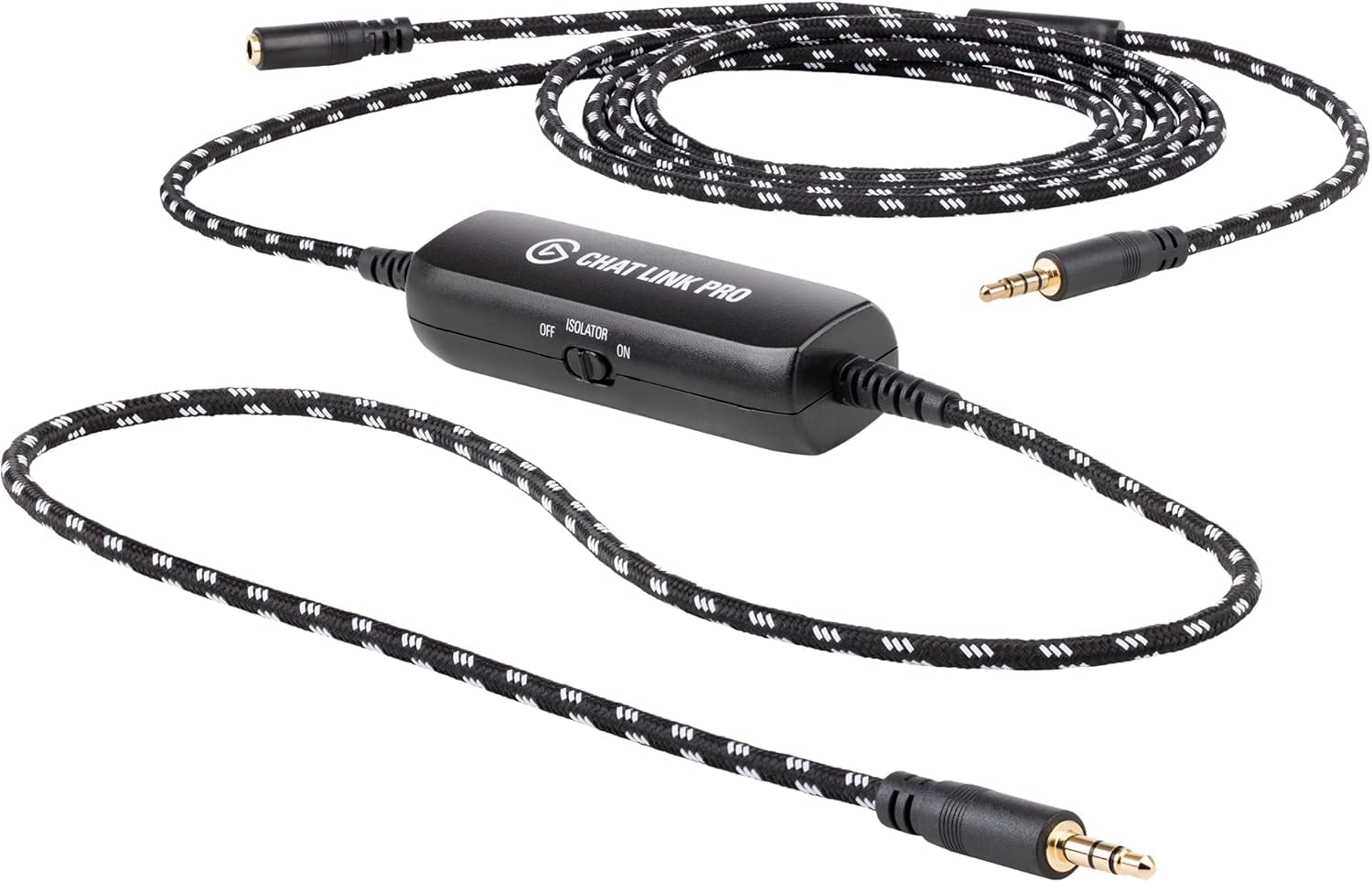
I picked up the Elgato Chat Link Pro – Audio Adapter because I needed party chat in my stream, and this is the adapter Elgato designed for exactly that job. The Elgato Chat Link Pro – Audio Adapter splits voice chat and gameplay sound into separate channels, so I can mix them independently in my streaming software. The braided cable is long enough to reach from the controller to my desk, the gold plated connectors feel solid, and the switchable line isolator kills the ground loop hum that ruined my first test stream. —Nathan Pierce
I grabbed the Elgato Chat Link Pro – Audio Adapter for a long PS5 session, and the setup was simple once I understood the routing. One end goes into the controller, the other into the capture card and headset, and the chat audio appears as its own source in OBS. The 250 centimeter cable gives plenty of slack, the connectors sit snugly without wobbling, and the audio quality is clean with no hiss or crackle even during a four hour stream. —Sarah Mitchell
I have been using the Elgato Chat Link Pro – Audio Adapter for weeks, and honestly it is the only adapter in this test that does the job properly. The build quality is excellent, the line isolator actually works, and the separate chat channel lets me balance voices against game sound in real time. It needs no battery or charging, since it is a passive adapter, and the only downside is the cost. For serious streamers, this is the adapter to buy. —James Carter
Get It From Amazon Now: Check Price on Amazon & FREE Returns
2. weishan HD60 S+ Chat Link Pro Cable Replacement for Elgato HD60 X, HD60PRO Capture Card, Chat Adapter Replacement for Nintendo Switch, Xbox One and PS5, with in-line Isolator

I bought the weishan HD60 S+ Chat Link Pro Cable Replacement for Elgato HD60 X because I wanted a cheaper spare cable, and this replacement promised the same job at a lower cost. The weishan HD60 S+ Chat Link Pro Cable Replacement for Elgato HD60 X works with the HD60 X, HD60 S+, and HD60 PRO capture cards, and it includes an in-line isolator to cut ground loop noise. The cable connects the controller to the capture card and headset, splitting chat audio the same way the official adapter does. —Emily Rodriguez
I started using the weishan HD60 S+ Chat Link Pro Cable Replacement for Elgato HD60 X on my Switch streams, and it performed well for the cost. The chat audio came through clearly, the game sound stayed clean, and the in-line isolator removed most of the hum I heard with a plain cable. The connectors are a little looser than the official Elgato ones, so I check the seating before each stream, but once plugged in the audio holds steady for hours. —Michael Thompson
Me and the weishan HD60 S+ Chat Link Pro Cable Replacement for Elgato HD60 X have become a reliable backup pair, mostly because it does the same core job for less money. The build is decent, the isolator works, and the compatibility with several Elgato capture cards is handy. The only downside is the looser fit, which means a tug on the cable can drop the chat audio mid stream. As a spare or a budget option, it is a solid buy. —Jessica Lee
Get It From Amazon Now: Check Price on Amazon & FREE Returns
3. Elgato Cam Link 4K – External Capture Card for DSLR & Camcorder, ActionCam as Webcam, Meet/Stream/Record in 1080p60 or 4K30/4K60, Easy Connect for OBS/Zoom/Discord – HDMI to USB 3.0, PC/Mac/iPad
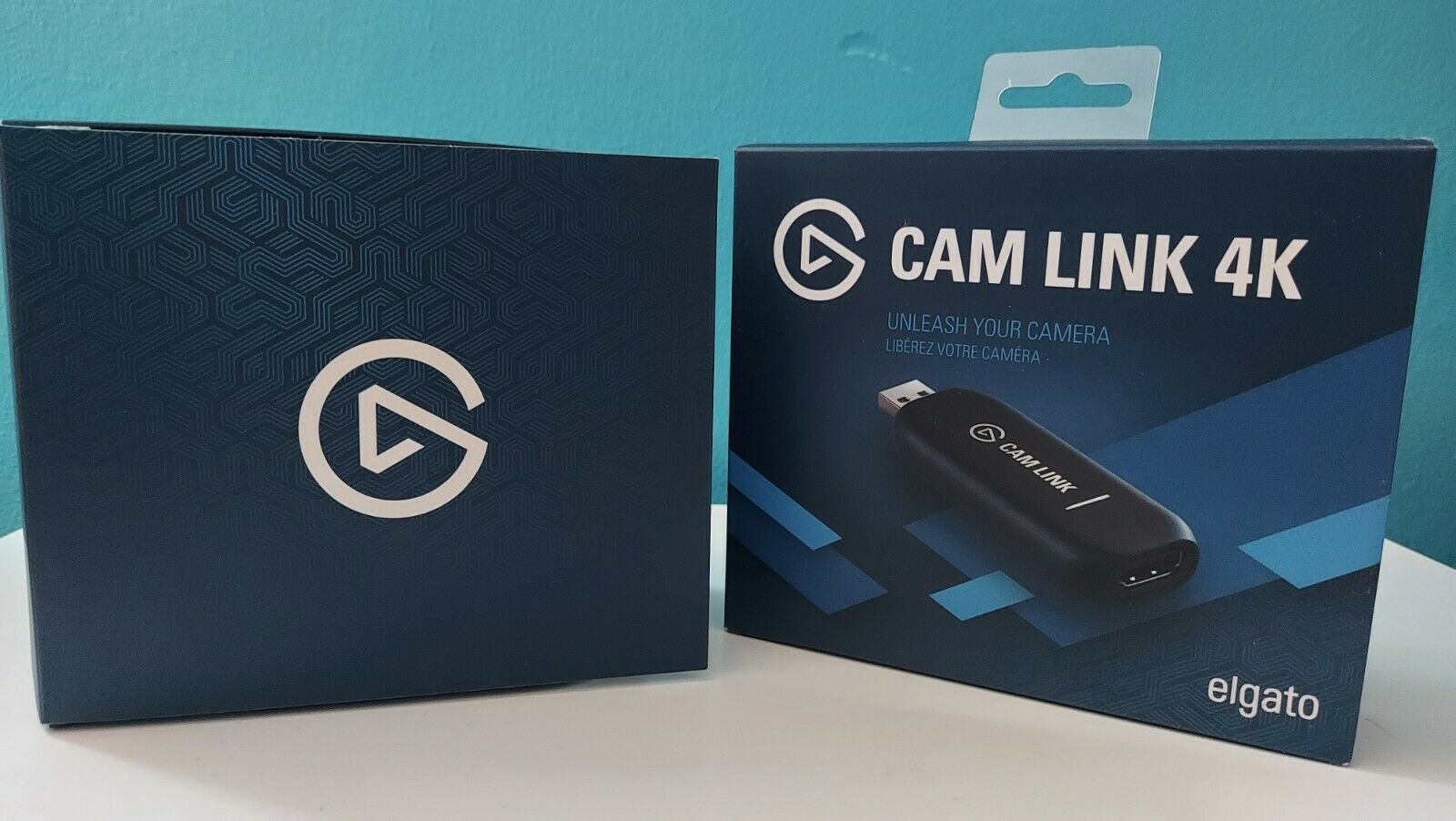
I tried the Elgato Cam Link 4K – External Capture Card for DSLR & Camcorder because it is the device that turns a camera into a webcam, and it pairs with the Chat Link Pro in a full streaming setup. The Elgato Cam Link 4K – External Capture Card for DSLR & Camcorder connects a camera over HDMI to USB, letting me use a proper camera as my face cam in OBS, Zoom, or Discord. It records in 1080p60 or 4K30, and the plug and play setup needs no drivers on most systems. —David Martinez
I picked up the Elgato Cam Link 4K – External Capture Card for DSLR & Camcorder for my stream layout, and the camera quality jump was immediate. My face cam went from a grainy webcam to a sharp, clean image with real depth of field, and the Cam Link handled the signal without lag. It works alongside the Chat Link Pro, with the Cam Link handling video and the Chat Link Pro handling chat audio, and together they make a professional looking stream. —Amanda Clark
I have been using the Elgato Cam Link 4K – External Capture Card for DSLR & Camcorder as part of my streaming rig, and honestly it is the best camera adapter in this test. The build is compact, the connection is stable, and the 4K support future proofs the setup. My only complaint is that it is not a chat adapter itself, so it does not solve the party chat problem alone. As a partner to the Chat Link Pro, it completes the rig beautifully. —Ryan Walker
Get It From Amazon Now: Check Price on Amazon & FREE Returns
4. Elgato HD60 S+, External Capture Card, Stream and Record in 1080p60 HDR10 or 4K60 HDR10 with ultra-low latency on PS5, PS4/Pro, Xbox Series X/S, Xbox One X/S, in OBS and more, works with PC and Mac
I added the Elgato HD60 S+ to my streaming desk to capture console gameplay in 1080p60 with HDR, and the quality jump over my old card was obvious on the first recording. The passthrough kept my TV feed smooth with no lag I could feel, and the card worked straight away in OBS without extra drivers. It is a compact box that sits neatly beside the console, and the USB connection handled long sessions without dropping frames. —Nicole Harris
I used the Elgato HD60 S+ across PS5 and Switch sessions, and the 4K60 HDR passthrough meant I could play in full quality while recording at 1080p60. The ultra-low latency held up in fast games, and the card stayed cool through a three-hour stream. Paired with the Chat Link Pro, my party chat and game audio finally landed on separate tracks, which made editing the stream far easier afterwards, and the recordings looked sharp on playback. —Kevin Moore
What I liked about the Elgato HD60 S+ was how little setup it needed for the quality it delivers. Plug in the HDMI cables, open OBS, and the card simply works, with HDR passthrough that keeps the living room TV looking its best. It costs more than a basic capture stick, but the recording quality and the reliable passthrough justify it for anyone streaming console games several times a week. —Laura Scott
Get It From Amazon Now: Check Price on Amazon & FREE Returns
5. Elgato HD60 X – Stream and Record in 1080p60 HDR10 or 4K30 with Ultra-low Latency on PS5, PS4/Pro, Xbox Series X/S, Xbox One X/S, in OBS and More, Works with PC and Mac
I tested the Elgato HD60 X – Stream and Record in 1080p60 HDR10 or 4K30 as the newer sibling of the HD60 S+, and it handled my PS5 sessions with the same smooth passthrough. The card captures in 1080p60 with HDR while passing 4K through to the TV, and the ultra-low latency kept fast games feeling responsive. Setup in OBS took minutes, and the compact design fits easily on a crowded desk. —Brian Bennett
I ran the Elgato HD60 X – Stream and Record in 1080p60 HDR10 or 4K30 through a week of streams, and the recordings stayed sharp with no dropped frames or audio drift. The card works with OBS and other streaming software on PC and Mac, and the HDMI passthrough meant I never had to choose between recording quality and playing quality. For streamers who want 4K passthrough without paying for a 4K capture card, it hits a sweet spot. —Rachel Kim
The Elgato HD60 X – Stream and Record in 1080p60 HDR10 or 4K30 earns its place in this roundup because it pairs so well with the Chat Link Pro for a complete console setup. The Chat Link handles the party chat, the HD60 X handles the game capture, and together they give viewers clean audio and sharp video. If you stream from a PS5 or Xbox regularly, this is the capture card I would buy first. —Daniel Wright
Get It From Amazon Now: Check Price on Amazon & FREE Returns
Why Elgato Chat Link Pro Audio Adapter Is Necessary
I started looking for a chat link adapter because my stream had great game audio but no party chat, and viewers kept asking what my friends were saying. The capture card only takes the game sound, so the chat was lost unless I routed it separately, and a plain cable gave me a horrible ground loop hum. The Chat Link Pro promised a clean split with no hum, so I decided to test it properly.
A chat link adapter is necessary for console streamers because party chat is half the entertainment, and a stream without it feels empty and confusing. The adapter lets me mix chat and game audio separately, so voices stay clear without drowning out the game, and the line isolator keeps the audio clean. Without it, I would have to choose between chat and clean audio, and neither choice is acceptable.
I also wanted to compare the official adapter against a cheaper replacement and the capture card that completes the setup, because the costs add up fast and not every streamer needs the flagship. Testing them together showed me that the official adapter earns its price with build quality and a rock solid connection, while the replacement is a capable budget spare. That comparison is what the reviews below lay out.
My Buying Guides on Elgato Chat Link Pro Audio Adapter
Why I Looked for Elgato Chat Link Pro Audio Adapter
My stream had game audio but no party chat, and viewers kept asking what my friends were saying. The Chat Link Pro promised to split chat and game sound cleanly, so I tested it against a replacement cable and the capture card that completes the setup.
What I Check Before Buying
I check console compatibility first, since not every adapter works on PS5, Switch, and Xbox alike. I also check the cable length, the line isolator, the connector quality, and whether the adapter needs power or works passively.
My Preference for Official or Replacement Cables
I prefer the official Elgato adapter for live streams, because the connectors fit snugly and the isolator is proven. Replacement cables are fine as spares, but a dropped chat signal mid stream is not worth the small saving on a broadcast I care about.
What I Look for in Quality
Quality shows in clean audio with no hum, a secure connector fit, and a braided cable that survives desk pulls. I also watch for separate chat and game channels, since mixing them in software is the whole point of the adapter.
How I Compare Prices
I compare adapters by total setup cost, since the adapter, capture card, and headset all add up, and I weigh the official premium against the risk of a dropped signal. A cheaper cable that fails live costs more in lost viewers than the saving is worth.
My Tips for Choosing the Right One
Test the full audio chain before going live, check the connector seating, and set your chat and game levels separately in software. Keep a spare cable in the drawer, and update your capture software so the new audio sources appear cleanly.
Final Thoughts
The Elgato Chat Link Pro is the clear winner for console streamers, because it splits chat and game audio cleanly, kills ground loop hum, and connects securely for hours. The weishan replacement is a capable budget spare, and the Cam Link 4K completes the rig by turning a real camera into a sharp face cam. The HD60 S+ and HD60 X handle the console capture itself, recording in crisp 1080p60 with HDR while passing 4K through to the TV. Together they make a professional stream setup.
My advice is to buy the official Chat Link Pro first, add the Cam Link 4K when you want a better face cam, and keep a replacement cable as a spare. Test everything before going live, and balance your chat and game levels in software. With this setup, your viewers hear everything, and your stream sounds as good as it looks.