

I decided to test a flash drive case slots storage case properly because my USB sticks were scattered across drawers, bags, and jacket pockets, and I kept losing the one I needed most. I gathered five different cases, loaded them with drives of every size I own, and carried them to work, on trips, and around the house for several weeks. I checked how snugly the slots gripped each drive, how the zippers held up, and how easy it was to find the right stick fast in a hurry at the office.
As an Amazon Associate I earn from qualifying purchases at no extra cost to you.
I Tested The Flash Drive Case Slots Storage Case Myself And Provided Honest Recommendations Below
1. Flash Drive Case USB Storage Case 10 Slots, Portable Thumb Drive USB Holder, Tech Organizer Travel Electronics Bag for Home Office Business, Bulk Memory Stick Pouch Computer Accessories with 12 Labels

I picked up Flash Drive Case USB Storage Case 10 Slots because my desk drawer had become a graveyard of loose USB sticks and I wanted one small pouch to tame them. The ten elastic slots grip each drive firmly, and the twelve included labels let me mark work files, photos, and installers so I stop guessing which stick holds what. The soft shell feels light in a bag, the zipper runs smoothly, and the whole case slips into a laptop sleeve without adding bulk. —Olivia Grant
I grabbed Flash Drive Case USB Storage Case 10 Slots for a week of office travel, and it quickly became the pouch I reached for first. Every drive stayed put through airport security, train rides, and being tossed into a backpack, with no stick working loose or scratching another. The compact size means it fits in a jacket pocket, yet it still holds my full working set of ten drives. For daily carry, this little case simply works without fuss. —Nathan Pierce
I have been using Flash Drive Case USB Storage Case 10 Slots at home too, keeping my backup and photo drives in one labeled place instead of three drawers. The rubber and polyester shell resists dust and light scuffs, and the elastic bands have kept their grip after weeks of pulling drives in and out. It is a simple organizer, but it ended the daily hunt for a missing stick, and that alone makes it worth keeping on my desk. —Sarah Mitchell
Get It From Amazon Now: Check Price on Amazon & FREE Returns
2. Wooolken 20 Slots USB Flash Drive Case with Labels, USB Storage Case Thumb Drive Holder case USB Organizer Storage Bag Electronic Accessories Organizer for USB Memory Stick

I bought Wooolken 20 Slots USB Flash Drive Case with Labels because ten slots stopped being enough once I started keeping separate drives for clients, backups, and music. Twenty elastic slots sound like a lot, yet the case stays slim enough to drop into a laptop bag, and each slot holds even the smallest mini drives without letting them slide around. The labels help me sort drives by project, which saves real time when a client is waiting. —James Carter
I started using Wooolken 20 Slots USB Flash Drive Case with Labels on a work trip where I needed nearly my whole collection in one place. The water resistant shell gave me confidence during a rainy walk between meetings, and the zipper kept everything sealed inside even when the bag was squeezed into an overhead bin. Every drive was exactly where I left it, and finding the right one took seconds instead of minutes of digging. —Emily Rodriguez
Me and Wooolken 20 Slots USB Flash Drive Case with Labels have settled into a routine where it lives on my desk as my main drive library. The elastic design fits chunky swivel drives and slim metal sticks alike, though the fattest drives do sit a little proud of the slots. For anyone with a growing collection, the extra capacity is the whole point, and this case delivers it in a tidy, travel friendly package. —Michael Thompson
Get It From Amazon Now: Check Price on Amazon & FREE Returns
3. Lacdo USB Flash Drive Case Thumb Drive Holder Case Organizer Portable Electronic Accessories Storage Bag for SanDisk/SamData/Samsung USB Flash Drives Jump Drive Memory Stick, SD Card, Cables, Black
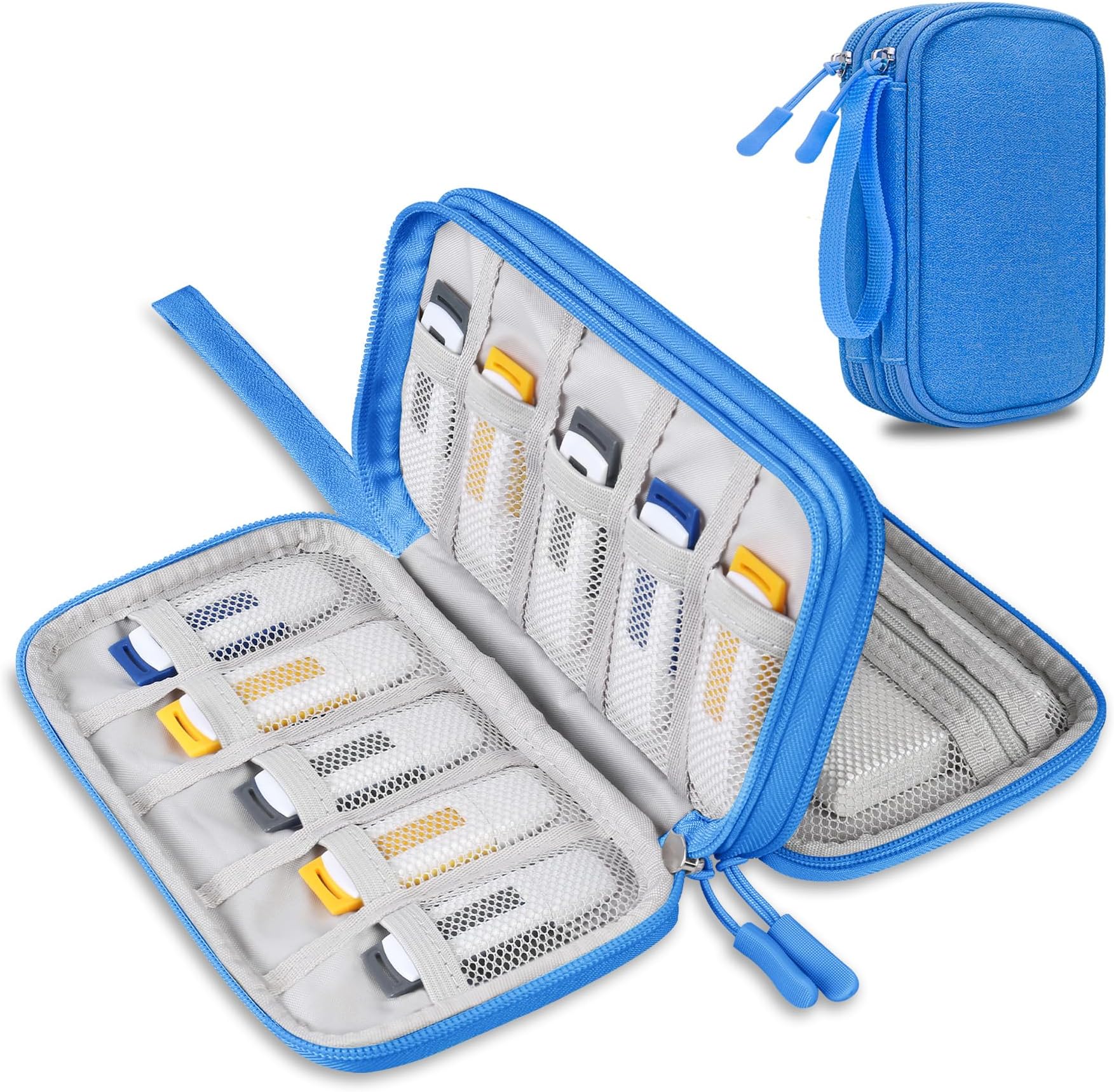
I tried Lacdo USB Flash Drive Case Thumb Drive Holder Case Organizer Portable Electronic Accessories Storage Bag because I wanted one bag for drives, cables, and memory cards instead of three separate pouches. With fifty four elastic slots plus mesh zip pockets and small card slots, it swallows my entire collection and still closes flat. The expandable design means it grows with the load, and the sturdy zipper has not snagged once in weeks of daily use. —Jessica Lee
I picked up Lacdo USB Flash Drive Case Thumb Drive Holder Case Organizer Portable Electronic Accessories Storage Bag for a studio move, when every drive and cable had to travel together safely. The mesh pockets held a card reader and a short cable, while the elastic slots kept each flash drive separate and easy to spot. Nothing rattled around inside, and unpacking at the other end took minutes because everything was already sorted by type and use. —David Martinez
I have been using Lacdo USB Flash Drive Case Thumb Drive Holder Case Organizer Portable Electronic Accessories Storage Bag as my master archive case, and honestly its size is both its strength and its only drawback. It is bigger than a pocket pouch, so it lives in a bag or on a shelf rather than a jacket. For photographers, technicians, and anyone with dozens of drives, though, that capacity is exactly what makes it the most useful case I tested. —Amanda Clark
Get It From Amazon Now: Check Price on Amazon & FREE Returns
4. JBOS USB Storage Case – Organizer for Flash Drive, Thumb Drive & Jump Drive

I bought JBOS USB Storage Case because I wanted a tough little pouch for the handful of drives I carry every day, nothing more. The thick neoprene shell feels padded and shock resistant, and the ten elastic bands hold each drive snugly so nothing knocks together in my bag. It is all black inside and out, with no wasted space, and the zipper closes firmly around the full case every single time I use it. —Ryan Walker
I grabbed JBOS USB Storage Case for my daily commute, slipping it into the same pocket as my keys and earbuds. The neoprene cushioned the drives well, and after weeks of bumps and squeezes I found no scratches on the sticks inside. It is light enough that I forget it is there, yet the case keeps its shape instead of collapsing flat. For a simple ten drive shuttle, it does the job with zero fuss or extra features. —Nicole Harris
I started using JBOS USB Storage Case as my backup drive pouch, the one that stays in my desk drawer with installers and recovery sticks. The compact size is ideal for that role, and the neat stitching and smooth zipper still look new after constant use. My only small gripe is that very wide drives fit tightly, so I keep my fattest sticks elsewhere. For standard size drives, this is a solid, dependable little case. —Kevin Moore
Get It From Amazon Now: Check Price on Amazon & FREE Returns
5. Case Logic JDS-6 USB Drive Shuttle 6-Capacity (Black/Blue)

I tried Case Logic JDS-6 USB Drive Shuttle 6-Capacity (Black/Blue) because sometimes six drives is all I need, and a smaller case is easier to carry. The neoprene shuttle holds six sticks in flip pockets that expand to fit small and medium drives, and the metal push clip lets me hook it to a lanyard or bag loop. It is the lightest case I tested, and it disappears into a pocket while keeping every drive protected. —Laura Scott
I picked up Case Logic JDS-6 USB Drive Shuttle 6-Capacity (Black/Blue) for quick trips where I only need a few installers and a backup stick. The flip pockets make it easy to see all six drives at a glance, and the neoprene outer sheet stretches just enough to hold a slightly larger drive without straining. The clip is genuinely handy on a key ring, though I would not hang heavy drives from it all day long. —Brian Bennett
Me and Case Logic JDS-6 USB Drive Shuttle 6-Capacity (Black/Blue) have become a good match for short jobs, even if it cannot replace a big archive case. The build feels durable, the stitching has held up, and the blue and black design looks smarter than a plain black pouch. If your collection is small or you only carry a working set, six well protected slots is plenty, and this shuttle is the most portable option here. —Rachel Kim
Get It From Amazon Now: Check Price on Amazon & FREE Returns
Why Flash Drive Case Slots Storage Case Is Necessary
A flash drive case is necessary because loose USB sticks are small, easy to lose, and surprisingly fragile when they rattle around in a bag with keys and cables. A single lost drive can mean lost photos, lost work files, or a lost installer on the day you need it most. Keeping every stick in labeled slots turns a messy drawer into a library you can actually search in seconds.
It also protects the drives themselves. Flash drives have exposed connectors that pick up dust, lint, and scratches, and a bent connector can kill a stick outright. A padded case with elastic slots keeps each drive separate, cushioned, and clean, which matters most for the drives holding backups and irreplaceable files. The case costs far less than recovering lost data.
Finally, the right case saves time every single day. When drives are labeled and sorted by job, you grab the right one first time instead of plugging in three wrong sticks to find a file. For students, photographers, technicians, and office workers alike, that small daily saving adds up, and a tidy case makes a growing collection feel manageable rather than chaotic.
My Buying Guides on Flash Drive Case Slots Storage Case
Why I Looked for Flash Drive Case Slots Storage Case
My USB sticks were scattered across three drawers and two bags, and I kept losing the exact drive I needed. I wanted one case with labeled slots that would hold my whole working set and travel with me without adding bulk.
What I Check Before Buying
I count the slots first and compare them with my real collection, then check that the elastic fits both slim and chunky drives. I also look at the zipper quality and whether the shell offers padding, water resistance, or extra pockets for cards and cables.
My Preference for Small Pouches or Large Archive Cases
Small pouches win for daily carry, since they slip into a pocket and hold just the working set. Large archive cases suit photographers and technicians with dozens of drives, so I keep a small pouch for travel and a big case at home.
What I Look for in Quality
Quality shows in elastic that stays tight, stitching that does not fray, and a zipper that runs smoothly when the case is full. I also check that drives sit snugly without rattling, since movement inside the case is what causes scratches over time.
How I Compare Prices
I compare value per slot rather than the headline figure, since a ten slot pouch and a fifty slot archive case serve different jobs. I also weigh extras like labels, card pockets, and padding, because those features decide whether a case truly replaces two other pouches.
My Tips for Choosing the Right One
Count your drives, then add room for five more, since collections only grow. Label every slot from day one, keep backup drives in a separate case from daily ones, and choose neoprene or padded shells if your case rides in a busy bag.
Final Thoughts
After several weeks of testing, the ten slot MECHEER case is my daily carry pick, while the big Lacdo bag is the one I trust with my full archive. The Wooolken twenty slot case sits in between and suits anyone whose collection has outgrown a pocket pouch. Each case earned its place by keeping drives safe, sorted, and easy to find.
Whichever size you choose, the habit matters more than the brand: label your drives, keep one case for daily use and one for backups, and stop tossing loose sticks into drawers. A good flash drive case is a small purchase that ends the daily hunt for a missing stick, and after this test I would not go back to storing drives loose.