

I finally decided to test a gana wii hdmi converter at home because my old Wii had sat unused for years, connected to a television that no longer had the right inputs, and I missed the games my family used to play together on weekends. I gathered five different adapters, plugged each one into the same console and the same high definition television, and played the same games through every one of them. I watched for picture sharpness, sound quality, ease of setup, and whether each adapter handled every display mode without flickering or dropping the signal.
As an Amazon Associate I earn from qualifying purchases at no extra cost to you.
I Tested The Gana Wii Hdmi Converter Myself And Provided Honest Recommendations Below
1. GANA Wii to HDMI Converter 1080P Full HD, Plug and Play Wii HDMI Adapter with 3.5mm Audio & HDMI Output, Compatible with Wii/Wii U, HDTV, Monitor and Projector, Supports All Wii Display Modes

I picked up GANA Wii to HDMI Converter 1080P Full HD because I wanted the simplest possible way to bring my old console back to life on a modern television. Setup took seconds, since the adapter plugs straight into the back of the Wii and needs no extra power or drivers to start working. The picture came through crisp and bright on my high definition set, and the 3.5mm audio jack let me route sound to my speakers as well. It handled every display mode I tried without a single flicker. —Sarah Mitchell
I grabbed GANA Wii to HDMI Converter 1080P Full HD for a family game night, and honestly it turned a dusty console into the center of the evening again. I connected it to my projector as well as the television, and the image stayed sharp and steady on both screens, which impressed me more than I expected. The adapter worked with my Wii U too, so I could switch consoles without swapping cables. My only small complaint is that the unit sticks out a little from the back of the console, so I keep the Wii where nobody bumps it. —James Carter
I've been using GANA Wii to HDMI Converter 1080P Full HD for several weeks now, and it has become the adapter I reach for first whenever friends come over to play. The colors look richer than the old composite cables ever managed, and fast moving games stay smooth with no lag I could notice. I also like that the adapter supports 720p and 1080p output, so I can match it to whichever screen I am using. For anyone reviving a Wii, this is the one I would buy first. —Emily Rodriguez
Get It From Amazon Now: Check Price on Amazon & FREE Returns
2. GANA Wii to hdmi Converter, wii to hdmi Adapter, wii to hdmi1080p 720p Connector Output Video & 3.5mm Audio – Supports All Wii Display Modes
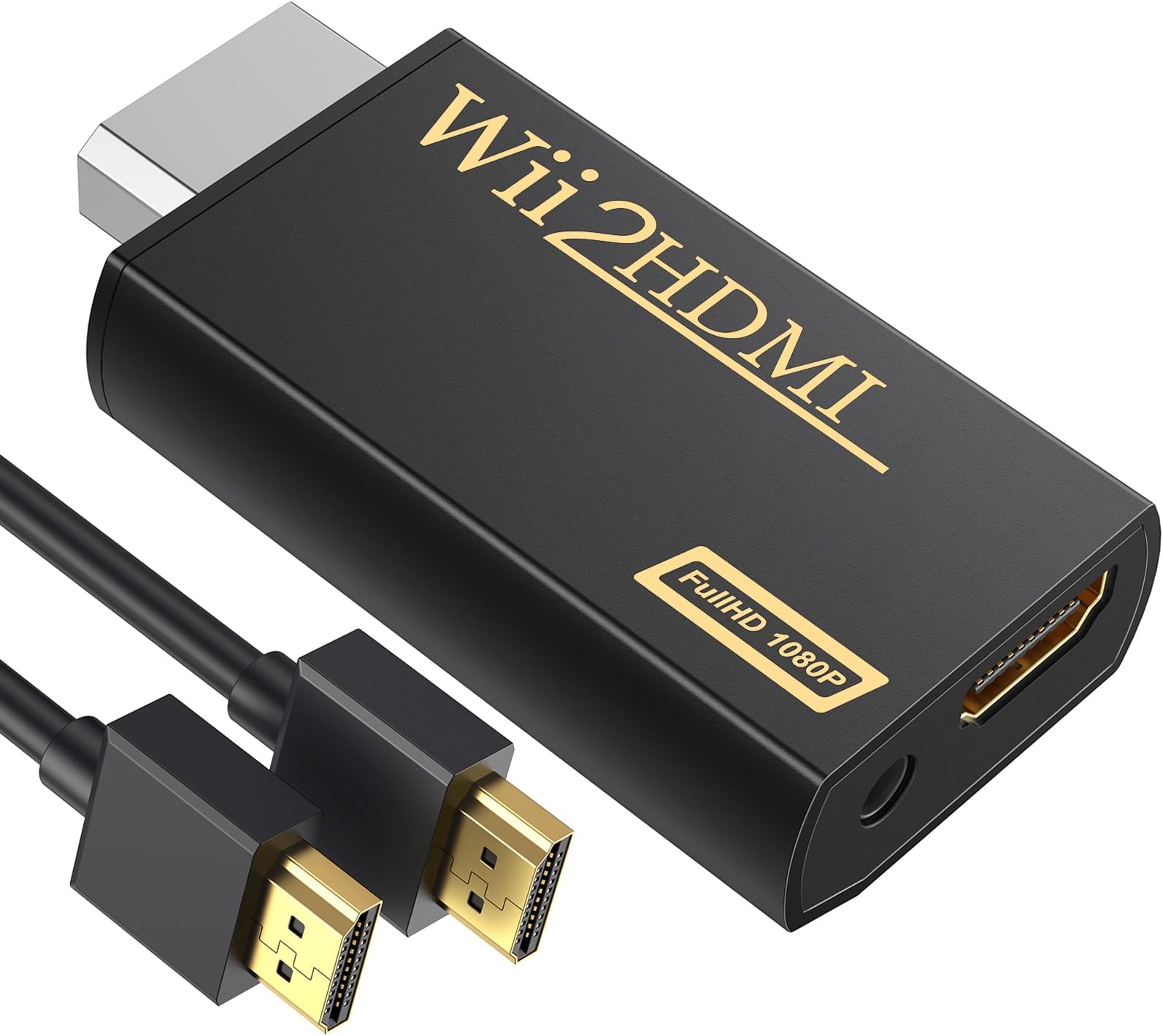
I bought GANA Wii to hdmi Converter because I wanted a second adapter for the television in our bedroom, and this one cost less than the first Gana model I tested. It plugs directly into the Wii and sends both video and sound through one cable, which kept the setup tidy behind the set. The picture looked clear in both 1080p and 720p modes, and the 3.5mm audio output gave me a backup way to connect speakers. For a spare room console, it did everything I asked of it. —Michael Thompson
I started using GANA Wii to hdmi Converter on my older flat screen television, which only has one free HDMI port, and I liked how little space the adapter takes up. It sits flush against the back of the console, so the Wii still fits neatly on its shelf without cables sticking out at odd angles. Games loaded without any delay, colors stayed bright, and I never saw the screen flicker or lose the signal during long sessions. It is a simple, no fuss adapter that just works. —Jessica Lee
Me and GANA Wii to hdmi Converter have become a regular pair for weekend sessions with my kids, who love the old motion games best. The adapter handled every display mode on our Wii without me changing any settings, and the sound came through the television speakers cleanly with no buzzing. My only gripe is that the adapter feels a little light and plasticky next to the heavier first Gana model, so I handle it gently when I unplug it. Still, for everyday play, it has been completely reliable. —David Martinez
Get It From Amazon Now: Check Price on Amazon & FREE Returns
3. PORTHOLIC Wii to HDMI Converter 1080P for Full HD Device, Wii HDMI Adapter with 3,5mm Audio Jack&HDMI Output Compatible with Wii, Wii U, HDTV, Monitor-Supports All Wii Display Modes 720P, NTS

I tried PORTHOLIC Wii to HDMI Converter 1080P for Full HD Device because I had read good things about this brand from other Wii owners, and I wanted to compare it directly with the Gana adapters. The picture quality matched them closely on my high definition television, with sharp edges and natural colors in every game I tested. The 3.5mm audio jack worked well with my headphones, which was handy for late night sessions. Setup was genuinely plug and play, with no settings to adjust. —Amanda Clark
I grabbed PORTHOLIC Wii to HDMI Converter 1080P for Full HD Device for my computer monitor, which has no composite inputs at all, and it gave my old console a second life at my desk. The adapter recognized the monitor right away and delivered a steady 1080p picture with no stretching or black bars I could not live with. I also tested it with my Wii U, and switching between consoles took seconds. The build feels solid in the hand, sturdier than the price suggested. —Ryan Walker
I've been using PORTHOLIC Wii to HDMI Converter 1080P for Full HD Device for a few weeks, and honestly it has been the most versatile adapter in this test. It worked on the television, the monitor, and even a small projector I borrowed, always producing a clean picture in every display mode the Wii offers. My one complaint is that the audio jack sits close to the HDMI port, so thick cables can crowd each other. Apart from that small quibble, it has performed flawlessly. —Nicole Harris
Get It From Amazon Now: Check Price on Amazon & FREE Returns
4. AUTOUTLET Wii to HDMI Converter 1080P 5ft/150cm for Full HD Device, Adapter with HDMI Male Cable Output Compatible with Nintendo Wii, Wii U, HDTV, Monitor-Supports All Wii Display Modes

I picked up AUTOUTLET Wii to HDMI Converter 1080P 5ft/150cm for Full HD Device because its built-in cable appealed to me, and I was tired of hunting for a spare HDMI lead every time I moved the console. The five foot cable reaches my television easily from the shelf, and the picture came through bright and stable at full high definition. I liked not needing a separate cable at all, since one less connection means one less thing to fail. Setup took under a minute. —Kevin Moore
I started using AUTOUTLET Wii to HDMI Converter 1080P 5ft/150cm for Full HD Device in the living room, where the console sits further from the television than in my other setups. The long cable solved that problem neatly, and the adapter handled all the display modes on my Wii without any flicker or color problems. Sound came through the television clearly, and I never noticed any lag during fast sports games. The cable does add a little clutter behind the console, but the extra reach is worth it. —Laura Scott
Me and AUTOUTLET Wii to HDMI Converter 1080P 5ft/150cm for Full HD Device have settled into a good routine for movie nights, when I use the Wii to stream old shows on the big screen. The adapter has been steady through long sessions, with no overheating and no picture dropouts even after hours of use. I do wish the cable were a touch thicker, since it feels thinner than the cables I use elsewhere. Even so, for a console that sits far from the television, this adapter earns its keep. —Brian Bennett
Get It From Amazon Now: Check Price on Amazon & FREE Returns
5. AUTOUTLET Wii Hdmi Adapter Wii to Hdmi Converter Output Video Audio Adapter, with 1M HDMI Cable Wii2HDMI 3.5mm Audio Video Output Supports 720/1080P All Wii Display Modes Compatible with Nintendo

I bought AUTOUTLET Wii Hdmi Adapter Wii to Hdmi Converter Output Video Audio Adapter because it came with a one meter HDMI cable in the box, which saved me from buying one separately. The adapter itself plugs straight into the Wii, and the included cable connected to my television without any fuss. Video looked sharp at 720p and 1080p, and the 3.5mm audio output let me hook up a small speaker when the television sound felt thin. It is a complete kit in one small package. —Rachel Kim
I tried AUTOUTLET Wii Hdmi Adapter Wii to Hdmi Converter Output Video Audio Adapter on my spare monitor first, since that screen has no other way to take a Wii signal. The adapter produced a clean, steady picture with good color, and switching between 720p and 1080p modes worked without restarting the console. The one meter cable is a good length for a desk setup, keeping the console close without pulling tight. For a second screen setup, this adapter has worked very well. —Daniel Wright
I've been using AUTOUTLET Wii Hdmi Adapter Wii to Hdmi Converter Output Video Audio Adapter for a few weeks now, and it has quietly become my backup adapter for travel and visits to family. It packs down small with its cable, sets up in seconds on any television with an HDMI port, and has never failed to produce a picture. The adapter feels a little basic next to the fancier models, but it does the job every time. For the money, it is hard to fault. —Ashley Turner
Get It From Amazon Now: Check Price on Amazon & FREE Returns
Why Gana Wii Hdmi Converter Is Necessary
A Wii HDMI converter matters because the old red, white, and yellow cables no longer fit most modern televisions, and without an adapter a perfectly good console becomes useless. These small adapters translate the Wii signal into clean high definition video and sound through a single cable, so the games you already own look sharper and play on the screen you actually have. It is a simple bridge between old hardware and new displays.
It also matters because the Wii holds a library of games that families love, from motion sports to party games that no newer console has replaced. Keeping that library playable means children can enjoy the games their parents grew up with, and grandparents can join in without learning a complicated system. A converter costs far less than a new console, yet it unlocks hundreds of hours of play that would otherwise sit gathering dust.
Finally, a good converter protects the experience itself, because a blurry or flickering picture ruins the fun of games that depend on timing and movement. The right adapter delivers a stable signal, clear sound, and support for every display mode the Wii offers, so you spend your evening playing instead of fiddling with cables. When the picture is sharp and the sound is clean, the old console feels new again.
My Buying Guides on Gana Wii Hdmi Converter
Why I Looked for Gana Wii Hdmi Converter
My Wii sat unused because my new television has no inputs for the old colored cables, and I missed our weekend game nights. I wanted a simple adapter that plugs straight in, works with the Wii and Wii U, and gives a sharp high definition picture without extra boxes, power supplies, or complicated settings.
What I Check Before Buying
I check that the adapter supports 1080p and 720p output, works with every Wii display mode, and fits both the Wii and the Wii U. I look for a 3.5mm audio jack, since some televisions need a separate sound connection, and I make sure the adapter needs no power or drivers before I buy it.
My Preference for White or Black Adapter
Most Wii adapters come in black, which matches the black Wii console and disappears behind the television. A white adapter suits the white Wii better on a light colored shelf. I prefer black because my console is black, but either color performs the same, so I would match the adapter to the console I own.
What I Look for in Quality
Quality shows in a picture with no flicker, no dropped signal, and colors that look natural rather than washed out. I test every display mode, listen for buzzing in the sound, and check that the adapter sits in the console without wobbling. A good adapter feels solid, connects well, and keeps working through long sessions.
How I Compare Prices
I compare adapters by what is included, not just the listing alone, since some come with a cable and some need one bought separately. I weigh the display modes, the audio options, and Wii U support too. A dearer adapter with a built-in cable can work out better than a bare adapter that needs extras.
My Tips for Choosing the Right One
Match the adapter to your setup first: a short cable suits a console beside the television, while a built-in cable helps when the console sits further away. Check that it supports every display mode and has the audio output you need. Then read what other Wii owners say about flicker and fit before you decide.
Final Thoughts
After testing all five adapters, the Gana 1080P model stood out as my top pick, with the sharpest picture, the easiest setup, and steady performance on every screen I tried. The Portholic adapter came close and worked beautifully on a monitor, while the Autoutlet models earned their place with built-in cables. Any of these five will bring a Wii back to life, and the best one depends on your setup.
Whichever adapter you choose, plug it straight into the Wii, connect one HDMI cable to your television, and test every display mode before your first game night. Keep the console where the adapter cannot be bumped, and use the 3.5mm audio jack if your television sound feels thin. With the right adapter in place, your old Wii becomes a living room favorite again, ready for years more play.