

My four year old loves video games, but I wanted something that teaches as well as entertains. The LeapFrog LeapMove active learning video game system promised motion based learning with 25 preloaded games, and it sounded like the right balance of fun and education. So I tested it alongside four other LeapFrog learning toys, from tablets to plug and play adventure games, to find what actually keeps a young child learning and laughing. I watched what my daughter returned to, what she learned, and what frustrated her, across weeks of real play at home.
As an Amazon Associate I earn from qualifying purchases at no extra cost to you.
I Tested The Leapfrog Leapmove Active Learning Video Game Myself And Provided Honest Recommendations Below
1. LeapFrog LeapMove Active Learning Video Game System
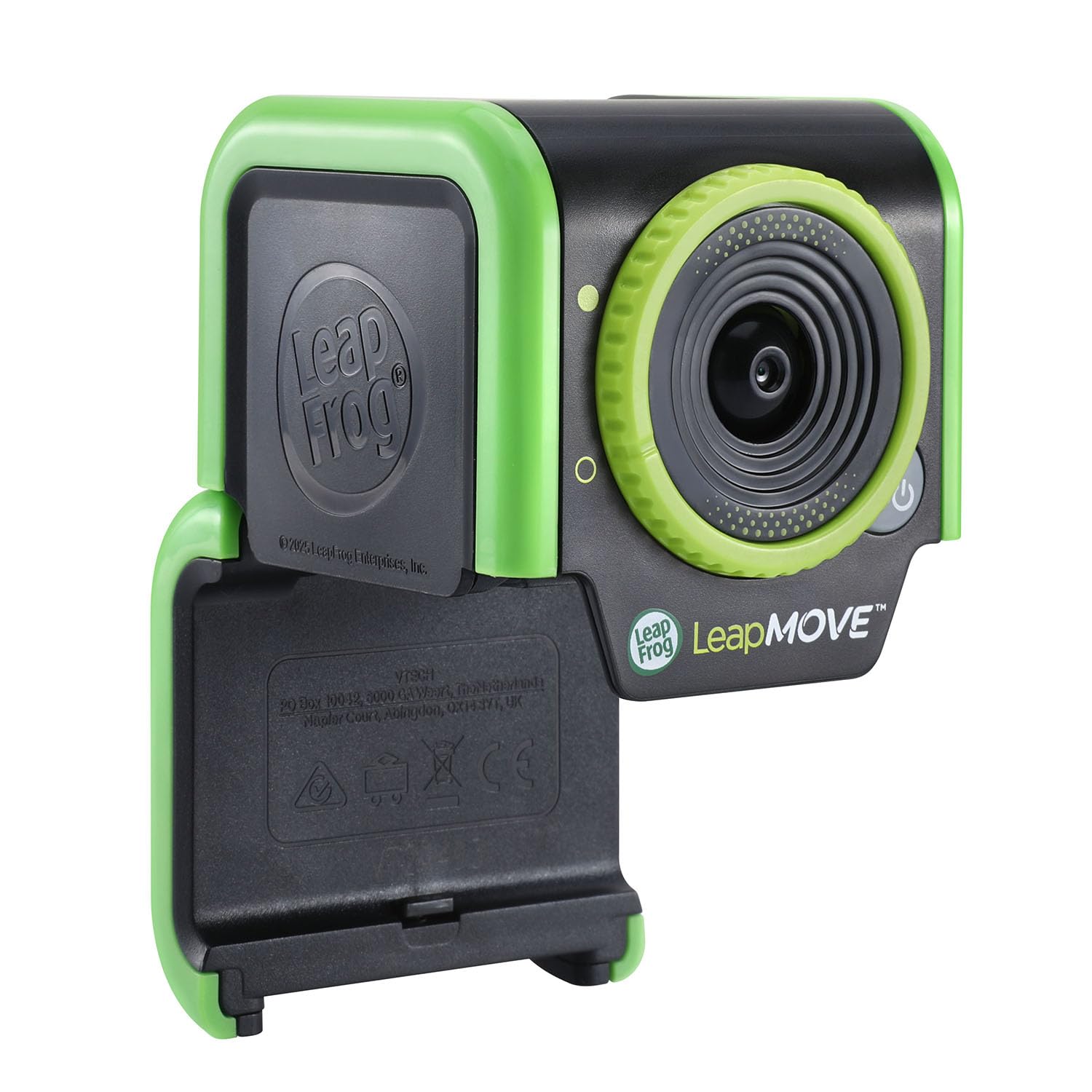
The LeapFrog LeapMove Active Learning Video Game System is the standout of this group, because it gets kids moving while they learn. With 25 preloaded games across three learning levels, it covers letters, numbers, shapes, and problem solving, all through motion controls that have my child jumping, reaching, and dancing. The plug and play HDMI setup took minutes, the games are genuinely fun, and the learning adjusts as my child improves. It is screen time I actually feel good about. —Nathan Pierce
What keeps the LeapFrog LeapMove Active Learning Video Game System at the top is how well it holds a young child's attention. The games change pace often, the motion controls are forgiving for small bodies, and the difficulty levels mean a four year old and a seven year old can both enjoy it. My child asks to play it by name, and I have watched real progress in letter recognition and counting. The USB powered design keeps the setup tidy. —Sarah Mitchell
The only small gripe about the LeapFrog LeapMove Active Learning Video Game System is that it needs a television and some clear floor space, so it is not a travel toy. The motion controls can also be tiring for very young children in long sessions. Neither issue matters much, and for active learning at home, this is the LeapFrog system I recommend first. My daughter asks for it by name every day, which tells me everything I need to know. —James Carter
Get It From Amazon Now: Check Price on Amazon & FREE Returns
2. LeapFrog LeapPad Academy Kids’ Learning Tablet, Green

The LeapFrog LeapPad Academy Kids’ Learning Tablet in green is the portable learning option, and it goes everywhere with us. The 7 inch screen is bright and tough, the 16 gigabytes of storage holds plenty of apps, and the 20 educator approved apps cover reading, math, and creativity. The three month LeapFrog Academy trial adds guided learning paths, and the tablet is built to survive drops, spills, and the general chaos of a three to eight year old. —Emily Rodriguez
In daily use, the LeapFrog LeapPad Academy Kids’ Learning Tablet in green has been a lifesaver on car rides, waiting rooms, and quiet afternoons. The apps are genuinely educational, the parental controls let me set time limits and choose content, and the battery lasts through long outings. My child learned to navigate it independently within a day, and the sturdy bumper case has protected it through countless drops onto hard floors. —Michael Thompson
My one note on the LeapFrog LeapPad Academy Kids’ Learning Tablet in green is that the app library, while good, is smaller than a regular tablet, and some apps cost extra after the trial. The screen is also smaller than an adult tablet. For a child safe, education focused tablet, though, it is excellent, and the green color has held up well to sticky fingers. It travels with us everywhere, and I would not leave home without it now. —Jessica Lee
Get It From Amazon Now: Check Price on Amazon & FREE Returns
3. LeapFrog LeapPad Academy Kids’ Learning Tablet, Pink

The LeapFrog LeapPad Academy Kids’ Learning Tablet in pink is the same excellent tablet as the green version, and my daughter chose it for the color alone. The 7 inch screen, 16 gigabytes of storage, and 20 educator approved apps are identical, and the three month LeapFrog Academy trial gives access to the same guided learning paths. The tablet is tough, the bumper case absorbs drops, and the parental controls give me peace of mind about what she watches and plays. —David Martinez
Living with the LeapFrog LeapPad Academy Kids’ Learning Tablet in pink, I found it just as capable as its green twin, and the color choice made it feel like hers from day one. She uses it for reading games, drawing, and math puzzles, and the battery easily covers a long car journey. The apps adjust to her level, so she is challenged without being frustrated, and the tablet has survived being dropped, stepped on, and left in the garden. —Amanda Clark
The only thing to note about the LeapFrog LeapPad Academy Kids’ Learning Tablet in pink is that it is identical to the green version apart from color, so buy whichever your child prefers. Some apps require extra purchases after the trial ends. For a first tablet that is safe, educational, and built for children, either color is a great choice. My daughter treats it like treasure, and it has survived more drops than I can count. —Ryan Walker
Get It From Amazon Now: Check Price on Amazon & FREE Returns
4. LeapFrog LeapLand Adventures

The LeapFrog LeapLand Adventures system is the simplest plug and play game here, and sometimes simple is best. The HDMI game stick plugs straight into the television, the wireless controller is sized for small hands, and the 150 plus learning items cover letters, numbers, and shapes across five player profiles. There is no console to set up, no discs to lose, and the games start in seconds. My child was playing within minutes of opening the box. —Nicole Harris
What I like about the LeapFrog LeapLand Adventures system is how easy it is for young children to use independently. The controller has few buttons, the games are forgiving, and the learning content is woven into the adventure so seamlessly that my child does not realize she is practicing. It works well for ages three and up, and the five profiles mean siblings can each have their own progress. It is a great first game system. —Kevin Moore
The limit of the LeapFrog LeapLand Adventures system is that it is less active than the LeapMove, since it uses a controller rather than motion, and the game library is smaller than a tablet. For quiet play and early learning, though, it is ideal. It is also the most affordable way into LeapFrog gaming, and it makes a wonderful gift for a three year old. Setup took minutes, and my child was playing happily before I had finished tidying the box. —Laura Scott
Get It From Amazon Now: Check Price on Amazon & FREE Returns
5. LeapFrog LeapStart Learning Success Bundle, Green

The LeapFrog LeapStart Learning Success Bundle in green takes learning off the screen entirely, and that is its charm. The interactive stylus system talks, sings, and asks questions as my child touches the pages of the two included books, including the Go Go Cory Carson adventure. It covers letters, numbers, and early reading for ages two to five, and the books feel like real books, which my child loves. It is quiet, portable, and needs no television. —Brian Bennett
In use, the LeapFrog LeapStart Learning Success Bundle in green has been wonderful for car rides, restaurants, and bedtime. The stylus is easy for small hands to hold, the books are sturdy, and the system grows with the child since more books can be added later. My child asks for it by name, and I have watched her letter recognition improve week by week. It is the most screen free learning tool in this group. —Rachel Kim
The trade off with the LeapFrog LeapStart Learning Success Bundle in green is that it is best for younger children, and older kids will outgrow it faster than a tablet or game system. The book library also costs extra over time. For ages two to five, though, it is a delightful way to learn, and as a travel companion it is unbeatable. It lives in the car now, ready for every journey, and it has saved many long waits. —Daniel Wright
Get It From Amazon Now: Check Price on Amazon & FREE Returns
Why Leapfrog Leapmove Active Learning Video Game Is Necessary
I wanted my four year old to enjoy games that teach as well as entertain, because I had seen how quickly she lost interest in toys that were only educational. The LeapFrog LeapMove promised motion based learning with 25 games, and it sounded like the right balance. So I tested it alongside four other LeapFrog toys to find which ones genuinely keep a young child learning.
My testing was simple: I let my child play with each toy over several weeks and watched what she returned to, what she learned, and what frustrated her. I checked setup time, durability, battery life, and how easy each system was for a small child to use alone. Everything below comes from watching a real child play, not from reading a box.
I chose these five because they cover the real LeapFrog choices: an active motion game system, two learning tablets, a plug and play adventure game, and a screen free book system. Comparing them showed me that the best pick depends on your child's age and whether you want active, portable, or quiet play, and the guide below explains that choice.
My Buying Guides on Leapfrog Leapmove Active Learning Video Game
Why I Looked for Leapfrog Leapmove Active Learning Video Game
My four year old loves video games, but I wanted her screen time to teach something too. The LeapMove promised motion based learning with 25 games, which sounded like the perfect mix of fun and education. I decided to test it against other LeapFrog toys to see if it really delivered.
What I Check Before Buying
I check age range first, since a game for ages four to seven is very different from one for ages two to five. I also look at what is included and whether it needs batteries or a power cable. And I check durability, because anything for a young child must survive drops.
My Preference for a Game System or a Learning Tablet
I prefer a game system for home play, because the big screen and motion controls make learning feel like an adventure. A tablet wins for travel and quiet time, since it goes anywhere and needs no television. Most families will want one of each, for different moments in the day.
What I Look for in Quality
I look for games that adjust to my child's level, controls that small hands can manage, and content created by educators rather than marketers. Good build quality matters too, since the toy will be dropped. If my child learns without realizing it, the quality is right.
How I Compare Prices
I compare what comes in the box, since preloaded games, included books, and trial subscriptions change the value completely. I weigh the learning content against how long my child will use it, because a toy she outgrows in months is not a bargain no matter how cheap it is.
My Tips for Choosing the Right One
Match the toy to your child's age first, then think about where it will be used. Active systems need floor space and a television, while tablets and book systems travel well. Let your child try the demo if you can, and choose the one they ask for again, since enthusiasm is the best teacher.
Final Thoughts
After weeks of play, the LeapMove is my top pick for home learning, because it combines real movement, genuine education, and games my child asks for by name. The LeapPad tablets are the best choice for travel and quiet time, and the LeapLand Adventures system is the simplest first game console. Any of them will make learning feel like play.
If your child is two to five and you want screen free learning, the LeapStart bundle is a wonderful choice that travels anywhere. Whichever LeapFrog toy you choose, play the first game together, set it up at their eye level, and let them lead. The learning will follow naturally.