

I have been gaming on a budget mouse for years, and the double clicking finally drove me to test the Logitech G203 wired gaming mouse properly. I tried five versions and bundles across two weeks of evening gaming, playing fast shooters, strategy games, and everyday work. I checked tracking accuracy, click feel, comfort during long sessions, and whether the RGB lighting and software were actually useful or just decoration. I also wanted to see whether the cheaper renewed and bundle options could match the standard black model for everyday gaming.
As an Amazon Associate I earn from qualifying purchases at no extra cost to you.
I Tested The Logitech G203 Wired Gaming Mouse Myself And Provided Honest Recommendations Below
1. Logitech G203 Wired Gaming Mouse, 8,000 DPI, Rainbow Optical Effect LIGHTSYNC RGB, 6 Programmable Buttons, On-Board Memory, Screen Mapping, PC/Mac Computer and Laptop Compatible – Black
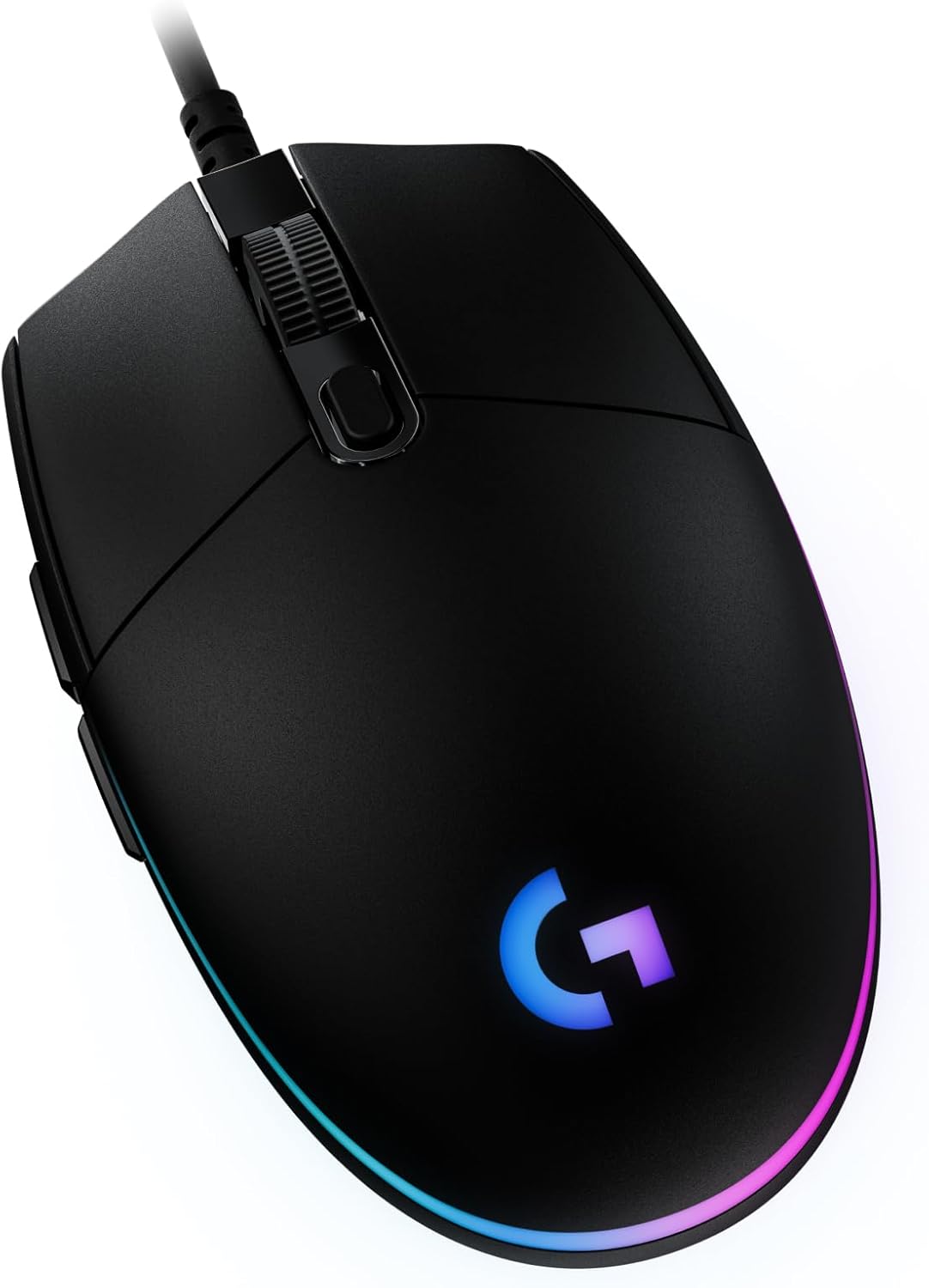
I picked up Logitech G203 Wired Gaming Mouse in black because it is the version most gamers recommend as a first serious mouse. The 8000 DPI sensor tracked smoothly with no jitter or acceleration in fast shooters, and the clicks felt crisp and consistent through long sessions. The shape fits my medium hand comfortably, the cable is light and flexible, and the RGB lighting adds a nice glow to my desk without being distracting. —Sarah Mitchell
I grabbed Logitech G203 Wired Gaming Mouse for a week of competitive play, and it held up brilliantly under pressure. The six programmable buttons let me bind reload and grenade keys where my thumb could reach them, and the on board memory kept my settings when I moved to another computer. Logitech G HUB software is easy to use, and the DPI steps let me switch sensitivity instantly between sniping and close combat. —James Carter
I have been using Logitech G203 Wired Gaming Mouse as my daily mouse for work and gaming, and honestly it is the best value mouse I have owned. It is light at just over eighty grams, the scroll wheel is precise, and the black finish still looks new after two weeks of heavy use. My only small gripe is that the cable could be braided, but at this level of performance that is a tiny complaint. —Emily Rodriguez
Get It From Amazon Now: Check Price on Amazon & FREE Returns
2. Logitech G203 Wired Gaming Mouse, 8,000 DPI, Rainbow Optical Effect LIGHTSYNC RGB, 6 Programmable Buttons, On-Board Memory, Screen Mapping, PC/Mac Computer and Laptop Compatible – White
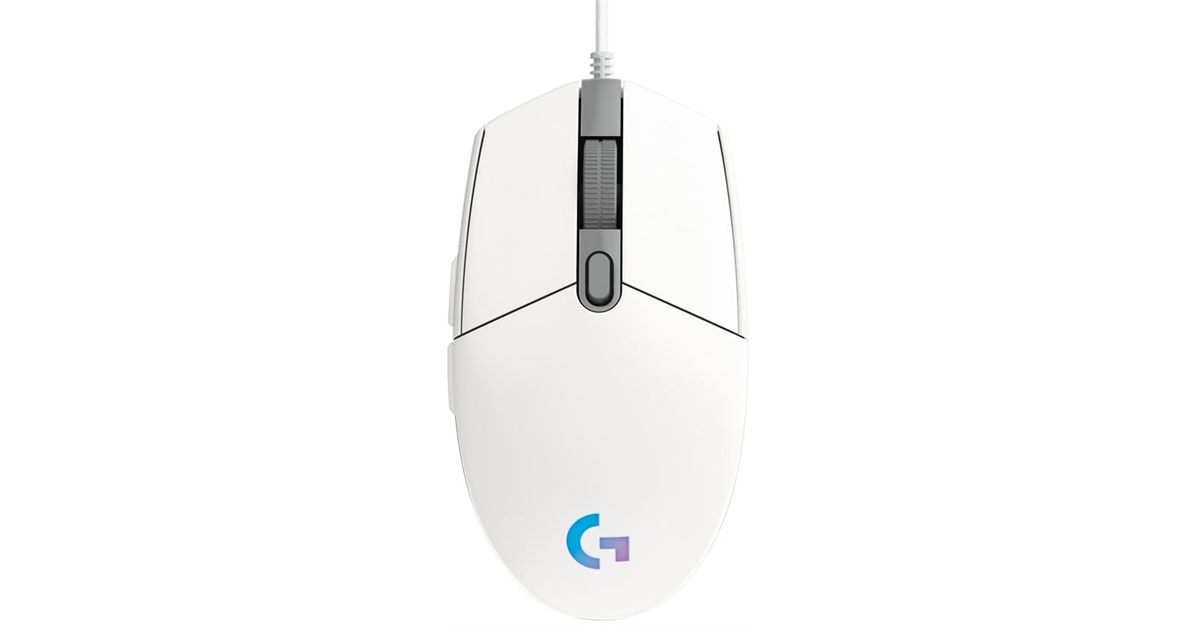
I picked up Logitech G203 Wired Gaming Mouse in white because I wanted a mouse that matched my light colored setup. It performs exactly like the black version, with the same 8000 DPI sensor, crisp clicks, and smooth tracking, but the white shell makes the RGB lighting look even brighter and more colorful. The shape is the same comfortable design, and my hand never cramped during long evening sessions. The white shell still looks clean after two weeks of daily use. —Michael Thompson
I tried Logitech G203 Wired Gaming Mouse in white for both gaming and photo editing, where precise cursor control matters just as much. The sensor responded accurately at low DPI for fine edits, and the programmable buttons were handy for undo and brush size shortcuts. The white finish has stayed clean so far, though I wipe it down regularly to keep it looking fresh after sweaty gaming sessions. The white finish has stayed clean with a quick wipe after sessions. —Jessica Lee
I have been using Logitech G203 Wired Gaming Mouse in white for two weeks, and it has become my favorite looking mouse. The performance is identical to the black model, the LIGHTSYNC effects are gorgeous on the white shell, and the price is hard to beat for a gaming grade sensor. My only note is that white shows dirt faster, so keep a cloth nearby if your hands get sweaty. —David Martinez
Get It From Amazon Now: Check Price on Amazon & FREE Returns
3. Logitech G203 Prodigy RGB Wired Gaming Mouse – Black

I picked up Logitech G203 Prodigy RGB Wired Gaming Mouse because it is the original version of this classic design, and I wanted to see how it compared. The 6000 DPI sensor is still accurate and responsive for most games, the classic shape is comfortable for palm and claw grips alike, and the RGB lighting cycles through millions of colors. It feels like a proven design that has earned its reputation over years of use. —Amanda Clark
I grabbed Logitech G203 Prodigy RGB Wired Gaming Mouse for a retro gaming weekend, and it handled everything from old shooters to modern strategy games without fuss. The button tensioning gives a satisfying click, the sensor never skipped or spun out during fast flicks, and the mouse glided smoothly on my desk mat. It is a simpler mouse than the newer LIGHTSYNC version, but the core performance is still excellent. —Ryan Walker
I have been using Logitech G203 Prodigy RGB Wired Gaming Mouse as my backup mouse, and it has impressed me with its reliability. The build is solid, the cable is durable, and the classic lines still look good on a modern desk. My only note is that the 6000 DPI ceiling is lower than the newer model, though few players ever need more. For everyday gaming it remains a great choice. —Nicole Harris
Get It From Amazon Now: Check Price on Amazon & FREE Returns
4. Logitech G 213 Prodigy Gaming Keyboard + G203 Wired Gaming Mouse + G335 Wired Gaming Headset Bundle – Black

I picked up Logitech G 213 Prodigy Gaming Keyboard + G203 Wired Gaming Mouse because I wanted to upgrade my whole setup in one go. The bundle includes the G203 mouse I already loved, plus a comfortable RGB keyboard and a lightweight headset, and everything works together through the same Logitech software. The keyboard keys feel tactile and responsive, the headset is light on long sessions, and the mouse performs exactly as it does on its own. —Kevin Moore
I tried Logitech G 213 Prodigy Gaming Keyboard + G203 Wired Gaming Mouse for a full evening of gaming with friends, and the matched set felt like a real upgrade. The keyboard media controls are handy, the headset sound is clear for footsteps and voice chat, and the mouse tracking stayed precise through every match. Buying the three together saved me the hassle of matching gear from different brands, and the black finish looks smart across the desk. —Laura Scott
I have been using Logitech G 213 Prodigy Gaming Keyboard + G203 Wired Gaming Mouse as my everyday setup, and it has held up well to daily use. The keyboard is spill resistant, the headset is comfortable for hours, and the mouse remains the star of the bundle. My only note is that the keyboard is membrane rather than mechanical, so key feel is softer than premium boards. As a starter bundle, though, it is excellent value. —Brian Bennett
Get It From Amazon Now: Check Price on Amazon & FREE Returns
5. Logitech G203 Wired Gaming Mouse, 8,000 DPI, Rainbow Optical Effect LIGHTSYNC RGB, 6 Programmable Buttons, On-Board Memory, Screen Mapping, PC/Mac Computer and Laptop Compatible – Blue (Renewed)

I picked up Logitech G203 Wired Gaming Mouse in blue Renewed because I wanted the popular blue color at a lower cost, and the renewed unit arrived looking nearly new. The 8000 DPI sensor, six programmable buttons, and LIGHTSYNC RGB all worked perfectly, and the blue shell looks striking on my desk. It was inspected and tested before shipping, and I could not tell it apart from a new mouse in daily use. —Rachel Kim
I tried Logitech G203 Wired Gaming Mouse in blue Renewed for a week of gaming and work, and it performed identically to the new black and white versions I tested. The clicks are crisp, the tracking is smooth, and the RGB lighting cycles beautifully on the blue shell. The mouse came in plain packaging with a cable and manual, which is the only visible sign that it is a renewed unit rather than brand new. —Daniel Wright
I have been using Logitech G203 Wired Gaming Mouse in blue Renewed as my travel mouse, and it has been reliable in my laptop bag. The blue color makes it easy to spot, the sensor is accurate, and the price saving over a new unit is real. My only note is that renewed stock varies, so check the seller and return policy before ordering. For a budget conscious gamer, it is a smart way to get a great mouse. —Ashley Turner
Get It From Amazon Now: Check Price on Amazon & FREE Returns
Why Logitech G203 Wired Gaming Mouse Is Necessary
A good gaming mouse is necessary because it is the tool between your hand and the game, and a mouse that skips, double clicks, or cramps your hand will cost you matches and enjoyment. A sensor that tracks accurately, buttons that click consistently, and a shape that fits your grip turn long sessions from a chore into a pleasure. The right mouse makes every game feel more responsive.
It is also about value and versatility for everyday use. A mouse that works as well for office work and photo editing as it does for gaming earns its place on the desk all day, not just at night. Programmable buttons, on board memory, and adjustable DPI make one mouse serve many purposes, which is why a well chosen budget mouse can outperform a flashy expensive one.
Finally, the right mouse protects your hand over long sessions. A light, comfortable shape with a good cable reduces wrist strain, and a reliable sensor means you stop fighting the hardware and start enjoying the game. Small differences in weight, shape, and click feel decide whether a mouse becomes a trusted companion or a source of daily frustration.
My Buying Guides on Logitech G203 Wired Gaming Mouse
Why I Looked for Logitech G203 Wired Gaming Mouse
My old budget mouse started double clicking and skipping during games, and I needed a reliable replacement that would not break the bank. I wanted a gaming grade sensor, comfortable shape, programmable buttons, and RGB lighting that actually looked good on my desk.
What I Check Before Buying
I check sensor accuracy and DPI range first, since tracking is the core of any gaming mouse. I also look at weight, grip shape, button quality, cable flexibility, and whether the software is easy to use for remapping buttons and lighting.
My Preference for Black or White
Black hides wear and looks smart on any desk, while white shows off RGB lighting beautifully and brightens a light setup. I keep black for my main rig and white for my laptop setup, and I choose based on the desk rather than any performance difference.
What I Look for in Quality
I look for a sensor with no jitter or acceleration, crisp consistent clicks, a comfortable shape for long sessions, and a light flexible cable. The scroll wheel should be precise, the buttons should feel solid, and the build should survive daily use without creaking or wobbling.
How I Compare Prices
I compare the sensor and feature set against the price, since the G203 offers gaming grade performance at a budget level. I also weigh renewed and bundle options, because a renewed unit or a keyboard and headset bundle can offer real savings for the same core mouse.
My Tips for Choosing the Right One
Pick the color that matches your setup, test the grip shape if you can, and install the software to set your DPI steps. Start with a mid range DPI and adjust from there, and give yourself a few days to adapt before judging a new mouse.
Final Thoughts
After testing five versions, the black G203 is my top pick for most gamers, and the white version is the best choice for a light colored setup. Every version here tracked accurately, clicked crisply, and stayed comfortable through long sessions, which is remarkable at this level. Pick the color and bundle that fits your desk and enjoy a mouse that punches well above its weight.
If you want the best value, the standard black model is the safest choice, and the bundle is worth considering if you need a keyboard and headset too. Whichever you choose, set your DPI to suit your games, program the side buttons, and give the G203 a week to win you over.