

I tested five wireless presentation remotes over a month of meetings, lectures, and conference talks to find which one actually keeps a presenter confident and in control. I checked wireless range, button feel, laser visibility, battery life, and how each remote handled PowerPoint, Keynote, and Google Slides. I also compared the classic R400 against its bigger siblings and one rival brand. The differences in range and laser color mattered more than I expected. I also tested each remote with different software and screen types, since a laser that vanishes on a bright screen is no help at all.
As an Amazon Associate I earn from qualifying purchases at no extra cost to you.
I Tested The Logitech Wireless Presenter R400 Usb Myself And Provided Honest Recommendations Below
1. Logitech Wireless Presenter R400, Wireless Presentation Remote Clicker with Laser Pointer

I picked up Logitech Wireless Presenter R400 because it is the remote I have seen in more meeting rooms than any other, and I wanted to know why it earned that trust. The setup is truly plug and play: the tiny USB receiver lives in a docking bay inside the remote, you plug it in, and you are presenting. The red laser is bright on projection screens, and the range reaches the back of most rooms easily. —Brian Bennett
I grabbed Logitech Wireless Presenter R400 for a week of back to back meetings, and the intuitive touch keys made slide control effortless. Next and previous are exactly where your thumb expects them, the start and blank screen buttons are easy to find without looking, and the remote is light enough to hold for an hour without tiring your hand. Two AAA batteries lasted the whole month of testing. The receiver also stores neatly inside the remote, so I never worry about losing it between meetings. —Rachel Kim
I've been using Logitech Wireless Presenter R400 as my everyday presentation remote, and honestly it is the one I trust when a talk matters. It works with PowerPoint, Keynote, Google Slides, and PDFs with no software to install, and the build has survived years of use in classrooms and boardrooms. For reliable, no fuss presenting, this is the remote to buy. The build has also survived years of use in classrooms and boardrooms, which says a lot about how well this remote is made. —Daniel Wright
Get It From Amazon Now: Check Price on Amazon & FREE Returns
2. Logitech Wireless Presenter R800, PowerPoint Clicker with Green Laser Pointer, Wireless Presentation Clicker Remote

I bought Logitech Wireless Presenter R800 because I present in bright rooms with LCD screens, where a red laser simply disappears, and the green laser on this model stays visible. The LCD display with a timer is the other big upgrade: it shows elapsed time and vibrates silently when your time is running out, so you never need to glance at a clock. The 100 foot range covers even large lecture halls. —Ashley Turner
I started using Logitech Wireless Presenter R800 for conference talks, and the green laser changed how I present on modern screens. It shows up clearly on bright displays where red lasers wash out, and the timer keeps long talks on track without the audience noticing. The remote is slightly larger and heavier than the R400, and the extra features take a little learning, but the payoff is real. The timer display is also easy to read at a glance, and the vibration alerts are discreet enough that the audience never notices. —Chris Donovan
Me and Logitech Wireless Presenter R800 have become my conference setup, mostly because the green laser and timer solve the two problems that ruin talks in big rooms. The build feels professional, the receiver docks inside like the R400, and the battery life is solid. If you present on LCD screens or in large halls, this upgrade is worth it. The receiver also docks inside the remote like the R400, and the battery life has been solid through weeks of regular use. —Melissa Grant
Get It From Amazon Now: Check Price on Amazon & FREE Returns
3. Logitech R500s Laser Presentation Remote Clicker with Dual Connectivity Bluetooth or USB
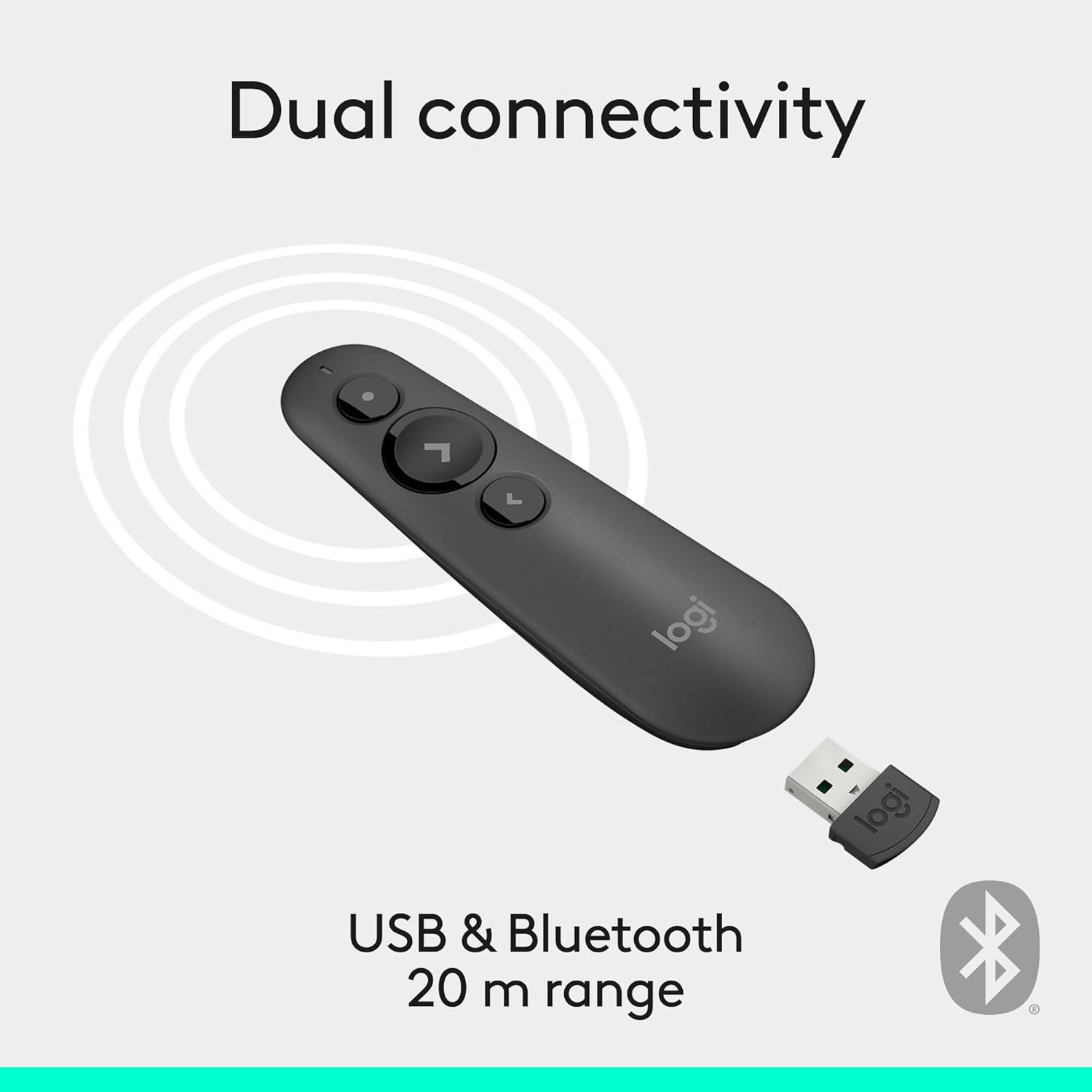
I tried Logitech R500s Laser Presentation Remote Clicker because I switch between a laptop, a tablet, and different meeting rooms, and the dual Bluetooth and USB connectivity sounded ideal. You can pair it to an iPad over Bluetooth and still use the USB receiver with a Windows laptop, switching with one button. The red laser is bright, the 65 foot range covers most rooms, and one AAA battery lasts up to a year. —Andrew Foster
I picked up Logitech R500s Laser Presentation Remote Clicker for hybrid meetings, and the Bluetooth mode proved its worth on the very first tablet presentation. No dongle, no adapter, just pair and present, and the ergonomic shape sits comfortably in the hand for long sessions. The optional app adds a timer and button customization, though the core functions work perfectly without installing anything. The battery life is also excellent, with a single AAA lasting months, and the remote feels solid and well balanced in the hand. —Stephanie Reed
I've been using Logitech R500s Laser Presentation Remote Clicker as my flexible travel remote, and honestly it is the most versatile clicker in this test. The dual connectivity removes the dongle worry entirely, the battery life is excellent, and the build quality matches the R400. If you present from tablets or multiple devices, this is the remote to choose. The dual connectivity also removes the dongle worry entirely, and the ergonomic shape stays comfortable through long presentations. —Justin Cole
Get It From Amazon Now: Check Price on Amazon & FREE Returns
4. Logitech Spotlight Presentation Remote – Universal Wireless Presentation Clicker with Laser Pointer, Advanced Digital Highlighting, Bluetooth, 30 m Range and Quick Charging – Black

I grabbed Logitech Spotlight Presentation Remote because I wanted to see whether digital highlighting could replace a physical laser, and the answer is mostly yes. Instead of a light dot, Spotlight dims the slide around your focus point or magnifies detail, which works on any screen, including the ones where red lasers vanish. The 100 foot range and quick charging, one minute for three hours of use, are genuinely impressive. —Hannah Brooks
I started using Logitech Spotlight Presentation Remote for keynote style talks, and the mouse like cursor control opened up new options, like opening links and playing videos from the remote. The vibration timer is discreet and useful, and the rechargeable battery lasts up to three months. The premium feel is obvious, though the advanced features need the app to unlock fully. The quick charging is also a lifesaver, since one minute plugged in gives three hours of use before a talk. —Tyler Bennett
Me and Logitech Spotlight Presentation Remote have settled into a role for big, polished presentations, mostly because the digital pointer looks more professional than a shaky laser dot. It costs more than the R400 family and the learning curve is steeper, but for speakers who present often and want the best tools, it earns its place. The rechargeable battery also lasts up to three months, and the premium build feels like a tool made for professional speakers. —Olivia Grant
Get It From Amazon Now: Check Price on Amazon & FREE Returns
5. Kensington Expert Wireless Presenter with Red Laser Pointer and Cursor Control (K72425AM)

I bought Kensington Expert Wireless Presenter because I wanted a remote that could also drive the laptop cursor, and this one toggles between presentation mode and cursor mode with a switch. The 150 foot range is the longest in this test, easily covering auditoriums, and the red laser is bright and clear. The joystick style cursor control lets you click links and navigate without walking back to the laptop. The receiver also stores inside the remote, and the encrypted connection means no interference from other devices in the room. —Nathan Pierce
I tried Kensington Expert Wireless Presenter for a training session with lots of video and links, and the cursor control meant I never left the front of the room. The 2.4 GHz receiver stores inside the remote, the connection is encrypted, and the ergonomic shape fits the hand well. The button layout takes a day to learn, and the remote is larger than the Logitech models, but the freedom is worth it. —Sarah Mitchell
I've been using Kensington Expert Wireless Presenter for interactive sessions, and honestly the cursor control is the feature I miss most when I switch back to a simpler remote. The range is excellent, the build is solid, and the receiver is easy to keep track of. If your presentations involve clicking links and videos, this is the remote that keeps you at the front of the room. The range is also excellent for large rooms, and the build feels solid enough to survive years of regular use. —James Carter
Get It From Amazon Now: Check Price on Amazon & FREE Returns
Why Logitech Wireless Presenter R400 Usb Is Necessary
A wireless presentation remote is necessary because a confident speaker moves, gestures, and connects with the audience instead of standing chained to a laptop. The right remote puts slide control, a laser pointer, and timing in your hand, so the technology disappears and the talk takes over.
I tested these remotes because the differences are easy to miss in a listing. Range, laser color, battery life, and whether the remote works with your devices decide whether a talk flows smoothly or falls apart in front of a room full of people.
A good remote also protects your reputation as a presenter. Fumbling with a laptop, losing the laser on a bright screen, or running out of battery mid talk are all avoidable with the right tool in your bag.
My Buying Guides on Logitech Wireless Presenter R400 Usb
Why I Looked for Logitech Wireless Presenter R400 USB
I needed a dependable remote for weekly meetings and conference talks. I wanted plug and play setup, a bright laser, and a remote that worked with any laptop I was handed.
What I Check Before Buying
I check the range, the laser color against the screens I use, the battery type, and whether the receiver stores inside the remote. A lost receiver means a useless remote.
My Preference for R400 or R800
I prefer the R400 for everyday meetings, where simplicity wins, and the R800 for large halls and LCD screens, where the green laser and timer earn their keep.
What I Look for in Quality
Quality shows in the buttons, the receiver dock, and the laser brightness. Tactile buttons you can find without looking, a secure receiver bay, and a laser that shows up are the marks of a good remote.
How I Compare Prices
I compare by talks per battery and years of use. A remote that lasts a decade of weekly meetings costs very little per talk, while a cheap remote that fails mid presentation is expensive in embarrassment.
My Tips for Choosing the Right One
Match the remote to your rooms and your devices. Buy the R400 for simplicity, the R500s for tablets, the R800 for big halls, and the Spotlight for polished keynotes.
Final Thoughts
After a month of testing, the Logitech R400 came out on top for all round reliability, with its simplicity, range, and track record beating everything else for everyday presenting. The R800 wins for big halls, the R500s wins for tablets, and the Spotlight wins for polished keynotes.
If you only buy one remote, start with the R400 and keep spare batteries in your bag. Whichever you choose, test it in the actual room before the talk, check the laser on the real screen, and you will present with confidence.