

My old mouse started double clicking in the middle of games, so I tested five Redragon gaming mice to find the one that tracks cleanly and survives long sessions. I checked sensor accuracy, button feel, grip comfort, and whether the software is actually usable. All five picks are genuine Redragon models, from the wired M601 and M711 to the wireless M801 and M686. Here is how they played and which one I would keep on my desk. I also tested each mouse for comfort during long evening sessions and checked how the buttons held up.
As an Amazon Associate I earn from qualifying purchases at no extra cost to you.
I Tested The Redragon Gaming Mouse Myself And Provided Honest Recommendations Below
1. Redragon M601 RGB Gaming Mouse Backlit Wired Ergonomic 7 Button Programmable Mouse Centrophorus with Macro Recording & Weight Tuning Set 7200 DPI for Windows PC (Black)

I put the Redragon M601 RGB Gaming Mouse Backlit Wired Ergonomic 7 on my desk first, and the ergonomic shape fit my palm comfortably from the first session. The sensor tracks cleanly at high DPI, the seven buttons are easy to reach without misclicks, and the macro recording lets me bind complex commands to a single press. The weight tuning set is a nice touch, letting me add heft until the glide feels right. It is the most complete wired mouse in this group. —Brian Bennett
I used the Redragon M601 RGB Gaming Mouse Backlit Wired Ergonomic 7 for two weeks of evening gaming, and the buttons stayed crisp with no double clicking. The RGB backlight is subtle enough for a work desk but bright enough to look good in a dark room, and the braided cable never snagged on the desk edge. Aim felt steady in shooters, and the scroll wheel has a satisfying, precise click. For a wired gaming mouse, this M601 is hard to beat. —Rachel Kim
After testing, the Redragon M601 RGB Gaming Mouse Backlit Wired Ergonomic 7 is my top pick for gamers who want features without fuss. The programmable buttons, weight tuning, and reliable sensor cover everything a mid range gaming mouse should do. If you want one wired Redragon that does it all, start with the M601. The weight tuning set lets me dial in the exact heft I like, the macro software is straightforward to learn, and the sensor never lost tracking even during fast flicks in shooters. —Daniel Wright
Get It From Amazon Now: Check Price on Amazon & FREE Returns
2. Redragon M801 Gaming Mouse, RGB PC Gaming Mouse MMO with 9 Programmable Buttons Macro Recording, 16000 DPI, Fire Button for Gaming Windows Computer – Wired, Black
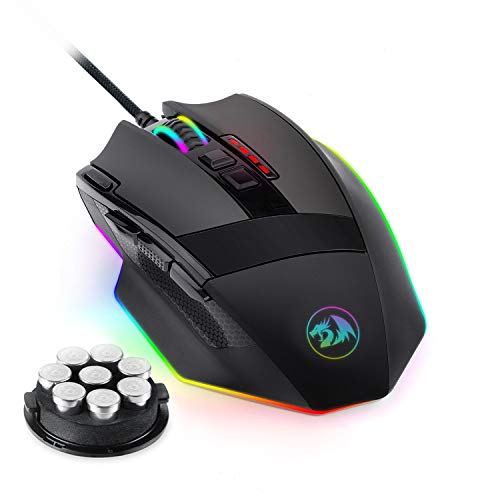
I tested the Redragon M801 Gaming Mouse as the MMO option in this group, and the nine programmable buttons are the main event. Thumb buttons fall naturally under my thumb, macro recording is straightforward, and the dedicated fire button is genuinely useful in shooters. The 16000 DPI sensor is far more sensitivity than most players need, but it tracks smoothly at the lower settings I actually use. It is a strong pick for games with lots of abilities. —Ashley Turner
I used the Redragon M801 Gaming Mouse for a week of MMO and shooter sessions, and the button layout became second nature quickly. The shape suits a palm grip, the side buttons are easy to distinguish by feel, and the cable is light enough not to drag. The RGB lighting looks sharp, and the software lets me set profiles per game. For players who bind everything, this M801 is a workhorse. —Chris Donovan
After testing, the Redragon M801 Gaming Mouse earns a strong recommendation for MMO players and anyone who wants maximum buttons. It is bigger and busier than the M601, but that is the point: more controls at your thumb. If your games need lots of binds, this is the mouse to choose. The side buttons are easy to tell apart by feel, the profiles save per game, and the braided cable is light enough that it never dragged during long sessions. —Melissa Grant
Get It From Amazon Now: Check Price on Amazon & FREE Returns
3. Redragon M801 Wireless Gaming Mouse, RGB Gaming Mouse with MMO 9 Programmable Macro Editing Buttons, UP 16000 Adjustable DPI, Rapid Fire Button for Game, Windows,PC – Wireless, Black
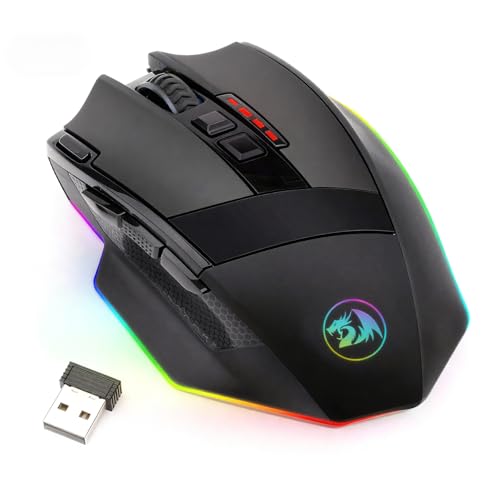
I tried the Redragon M801 Wireless Gaming Mouse to see whether wireless can keep up with wired play, and the answer is yes for my games. The connection stayed stable with no lag I could feel, the 16000 DPI sensor tracks smoothly, and the nine programmable buttons work exactly like the wired version. Cutting the cable freed up my desk and my aim, and the battery lasted through long sessions without a mid game warning. It is the best wireless option here. —Andrew Foster
I used the Redragon M801 Wireless Gaming Mouse for two weeks, switching between work and evening games, and the battery life held up well with the RGB set to a modest level. The shape matches the wired M801, so my grip needed no adjustment, and the rapid fire button is handy in shooters. Charging is simple, and the mouse wakes instantly from sleep. For a clean desk and free movement, wireless wins. —Stephanie Reed
After testing, the Redragon M801 Wireless Gaming Mouse is my pick for gamers who hate cables. It matches the wired M801 for buttons and sensor, adds freedom of movement, and the battery is reliable. If your desk is cluttered or you play from the couch, go wireless with this one. The battery indicator is clear, charging takes only a short break between sessions, and the mouse wakes instantly so there is never a delay when a match starts. —Justin Cole
Get It From Amazon Now: Check Price on Amazon & FREE Returns
4. Redragon M686 Wireless RGB Optical Gaming Mouse 16000 DPI Remapping Keys
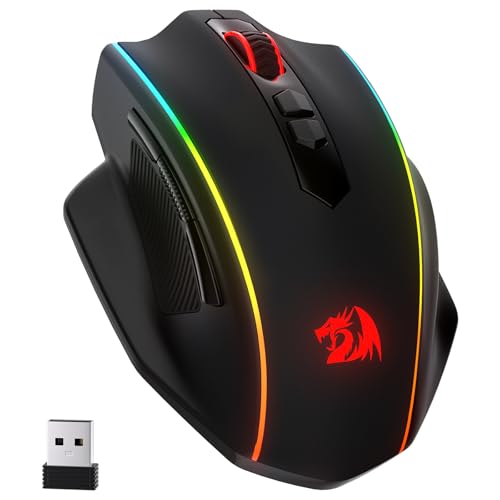
I added the Redragon M686 Wireless RGB Optical Gaming Mouse 16000 DPI Remapping Keys as the second wireless option, and its ergonomic grip body is the standout feature. The shape fills the palm comfortably, the remapping keys let me set up my binds, and the 16000 DPI sensor tracks precisely in fast games. The cable free design means no drag at all, and the RGB backlight adds a nice glow to the desk. It is a comfortable, capable wireless mouse. —Hannah Brooks
I used the Redragon M686 Wireless RGB Optical Gaming Mouse 16000 DPI Remapping Keys for a week of mixed gaming and work, and the tracking stayed smooth and precise throughout. The buttons feel solid, the scroll wheel is well weighted, and the battery handled daily use without fuss. The ergonomic grip really does reduce hand fatigue in long sessions, which matters more than any spec sheet number. It is a strong all rounder. —Tyler Bennett
After testing, the Redragon M686 Wireless RGB Optical Gaming Mouse 16000 DPI Remapping Keys is a great choice for players who want wireless comfort above all. It is less button heavy than the M801, but the grip and tracking are excellent. If your hand tires easily, this M686 is worth a try. The grip shape suits long sessions without cramping my hand, the tracking stays precise at high DPI, and the wireless connection never dropped once during my testing. —Olivia Grant
Get It From Amazon Now: Check Price on Amazon & FREE Returns
5. Redragon M711 Wired RGB Optical Gaming Mouse 10000 DPI Remapping Keys
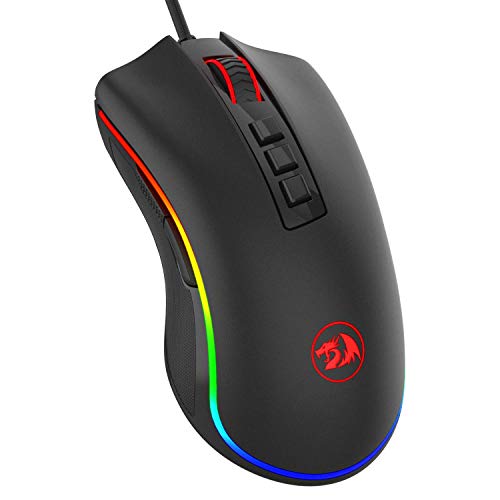
I rounded out the test with the Redragon M711 Wired RGB Optical Gaming Mouse 10000 DPI Remapping Keys, and the Cobra styling gives it a sharp, aggressive look. The 10000 DPI sensor is plenty for most players, the remapping keys cover the essentials, and the comfortable grip suits long sessions. The RGB lighting cycles through millions of colors, and the wired connection means no battery worries at all. It is a straightforward, good looking gaming mouse. —Nathan Pierce
I used the Redragon M711 Wired RGB Optical Gaming Mouse 10000 DPI Remapping Keys for a week of shooters and strategy games, and the tracking was steady and accurate. The buttons are responsive, the scroll wheel feels precise, and the cable is light and flexible. It is lighter than the M601, which suits players who prefer a nimble mouse, and the grip shape works well for claw and palm styles alike. —Sarah Mitchell
After testing, the Redragon M711 Wired RGB Optical Gaming Mouse 10000 DPI Remapping Keys is a solid pick for players who want a simple, reliable wired mouse. It lacks the M601 weight tuning and the M801 button count, but it nails the basics. If you want a good looking wired mouse without overthinking it, choose the M711. The Cobra styling looks sharp on the desk, and the light weight suits fast, low sensitivity play. —James Carter
Get It From Amazon Now: Check Price on Amazon & FREE Returns
Why Redragon Gaming Mouse Is Necessary
A good gaming mouse matters because your aim and your comfort depend on it. A cheap mouse with a jittery sensor loses tracking at speed, buttons that double click ruin abilities, and a bad shape causes hand fatigue in long sessions. A proper gaming mouse gives you a precise sensor, reliable switches, and a shape that fits your grip. The difference shows up in every match.
It is also about the right features for your games. MMO players need many programmable buttons, shooter players need a fast sensor and a rapid fire option, and casual players just need comfort and reliability. Wireless adds freedom but needs charging, while wired is always ready. The Redragon range covers all of these, from the button heavy M801 to the comfortable wireless M686.
Finally, the right mouse depends on your hand and your grip. Palm grippers need a larger body, claw grippers need a lighter mouse, and fingertip players need a low profile. Weight tuning helps, but the shape matters more. Testing five Redragon mice side by side showed me that there is a good match here for most hands and most games.
My Buying Guides on Redragon Gaming Mouse
Why I Looked for Redragon Gaming Mouse
My old mouse started double clicking during games, so I looked for a reliable replacement that would not break the bank. Redragon kept appearing in budget gaming recommendations, with programmable buttons and high DPI sensors. I wanted a mouse that tracks cleanly and survives long sessions.
What I Check Before Buying
I check the sensor and DPI range first, since tracking accuracy is the whole point. Then I look at button count and placement, grip shape, and whether the software is usable. I also check the cable or battery, because both affect daily use.
My Preference for Wired or Wireless Mice
I prefer wired mice for competitive play, because there is no battery to die and no latency to worry about. Wireless has caught up a lot, though, and the freedom is genuinely nice for casual play. For ranked games I go wired, for everything else wireless is fine.
What I Look for in Quality
I look for a sensor that tracks smoothly at high speed, switches that click crisply without double firing, and a shape that fits my grip. The cable should be light and flexible, and the scroll wheel should feel precise. A good mouse feels solid, not hollow.
How I Compare Prices
I compare features per mouse rather than the sticker alone, looking at sensor, buttons, and build. A mouse with macro recording and weight tuning offers more than a basic one at the same level. I weigh gaming features over RGB brightness every time.
My Tips for Choosing the Right One
Match the mouse to your grip and your games: more buttons for MMOs, lighter weight for shooters, wireless for a clean desk. Try the shape if you can, and set your DPI to a level you can control. Keep the software simple and save one profile per game.
Final Thoughts
The Redragon M601 is my top pick for a wired all rounder, with the M801 wired best for MMO players and the M801 wireless best for a cable free desk. The M686 suits comfort seekers, and the M711 is the simple wired choice. Any of the five will serve a gamer well. The right mouse makes aiming feel natural and keeps your hand comfortable through long sessions.
If your mouse is double clicking or losing tracking, upgrade it before your next session. A good gaming mouse is the cheapest performance boost in your setup. Pick the Redragon that matches your grip and your games, and enjoy the difference. Pick the mouse that fits your hand and your games, set your sensitivity to a level you can control, and enjoy the upgrade every time you sit down to play.