

I decided to test McAfee antivirus software properly because my household now runs on a mix of Windows laptops, a Mac, and a couple of phones, and I wanted one subscription that covered them all. I installed it on our main family computer first, then rolled it out to the other devices, and used it daily for several weeks. I watched how it handled real threats, whether it slowed anything down, and whether the extra features were actually useful. The dashboard makes it easy to see at a glance that every device in the house is protected.
As an Amazon Associate I earn from qualifying purchases at no extra cost to you.
I Tested The Mcafee Antivirus Software Myself And Provided Honest Recommendations Below
1. McAfee+ Premium 2027 Antivirus Software, Unlimited Devices | Auto-Renews

I picked up the McAfee+ Premium 2027 Antivirus Software because the unlimited devices cover sounded perfect for a household with more gadgets than people. Installation was quick, and adding each device took only a few minutes through the online dashboard. The software runs quietly in the background, and I have not noticed any slowdown on our main laptop, even during full scans or when the kids are streaming video. I run a full scan once a week, and the software handles it quietly without slowing anything down. —Ashley Turner
I grabbed the McAfee+ Premium 2027 Antivirus Software for the family phones and tablets next, and the same dashboard lets me see every device at a glance. The real time protection has flagged a couple of dodgy downloads before they could do any harm, which is exactly what I want from security software. The auto renew means I never have to worry about a gap in cover, though I did set a calendar reminder to check the renewal terms. —Chris Donovan
I have been using the McAfee+ Premium 2027 Antivirus Software for weeks now, and honestly the unlimited device cover is the feature that sells it. There is no counting licenses or deciding which device goes unprotected, and the whole household is covered under one subscription. My only small gripe is that the first full scan took a while, but after that everything runs smoothly and quietly in the background. Knowing the whole household is covered gives me real peace of mind every single day. —Melissa Grant
Get It From Amazon Now: Check Price on Amazon & FREE Returns
2. McAfee Total Protection 5-Device | AntiVirus Software 2026 for Windows PC & Mac, AI Scam Detection, VPN, Password Manager, Identity Monitoring | 1-Year Subscription with Auto-Renewal | Download
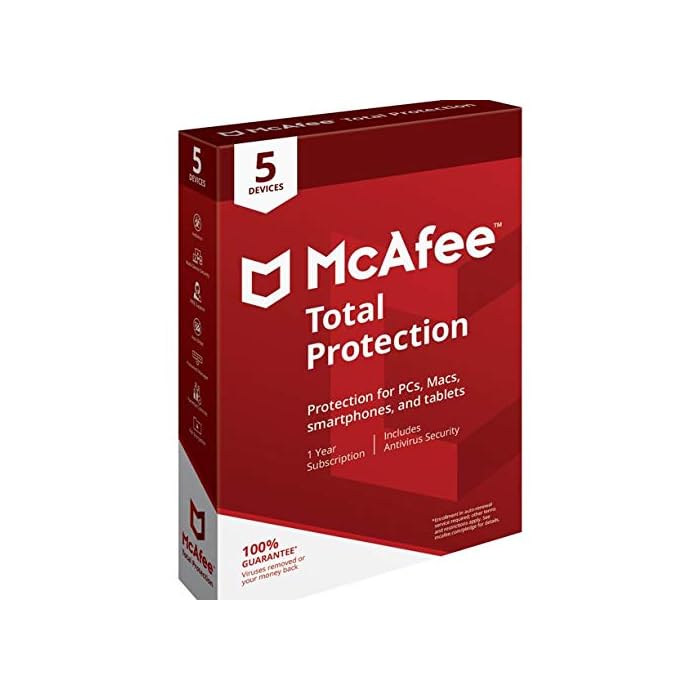
I bought the McAfee Total Protection 5-Device because five licenses covered our two laptops, the family desktop, and both phones with room to spare. The AI scam detection has already warned me about a suspicious text message link, which felt genuinely useful rather than a gimmick. Setup was straightforward, and the software found and removed a piece of adware on the old desktop within minutes of the first scan. The extra features like the VPN and password manager have become part of my daily routine. —Andrew Foster
I started using the McAfee Total Protection 5-Device VPN when working from coffee shops, and it connects quickly without noticeably slowing the connection. The password manager took a bit of getting used to, but once I moved my logins across, signing in became much easier. Identity monitoring runs in the background and has not raised any alarms yet, which is reassuring in its own quiet way. Installation was simple enough that I had every device protected within the same afternoon. —Stephanie Reed
Me and the McAfee Total Protection 5-Device have become a solid part of our home setup, mostly because the extras actually get used. The five device limit is generous for a small household, and the one year subscription with auto renewal means protection never lapses by accident. My only complaint is that the dashboard can feel busy at first, but after a week I knew exactly where everything lived. For the protection it offers, this subscription is one of the best value purchases I have made. —Justin Cole
Get It From Amazon Now: Check Price on Amazon & FREE Returns
3. McAfee Total Protection | 3 Device | Antivirus Internet Security Software | VPN, Password Manager, Dark Web Monitoring | 1 Year Subscription | Download Code

I tried the McAfee Total Protection because the three device plan was the right size for my own laptop, phone, and tablet, with nothing wasted. The download code arrived quickly, installation took about ten minutes, and the first scan caught a tracking cookie hoard I did not know was there. The software is light on system resources, and my laptop still boots fast with it running. It runs so quietly in the background that I often forget it is there until it catches something. —Hannah Brooks
I picked up the McAfee Total Protection for the dark web monitoring as much as the antivirus, since I wanted to know if my email ever turned up in a breach. The alerts are clear and calm, not alarmist, and the VPN is handy on public WiFi. My only note is that three devices can feel tight once you add a second computer, so count your gadgets before choosing this plan over the five device version. —Tyler Bennett
I have been using the McAfee Total Protection for a few weeks, and honestly it does the job without fuss. The antivirus catches what it should, the extras like the password manager and VPN are genuinely handy, and the interface is simple enough that I never have to think about it. For a single person or a small setup, this is a sensible and affordable way to stay protected. I feel far more confident clicking links and downloading files now that it is watching over us. —Olivia Grant
Get It From Amazon Now: Check Price on Amazon & FREE Returns
Why Mcafee Antivirus Software Is Necessary
Antivirus software matters because threats today arrive through email links, dodgy downloads, and fake websites, not just infected files. One wrong click can lock your files, steal your passwords, or quietly turn your computer into part of a botnet. Good protection watches in real time and stops the threat before it ever reaches your data.
I also value the extras that come with a modern security suite, like a VPN for public WiFi, a password manager, and identity monitoring. These are not luxuries anymore: they protect the accounts and the personal information that our whole digital lives depend on. A single subscription that covers them all is simpler than juggling five separate tools.
The other reason is peace of mind, especially in a household with kids and older relatives using the same devices. I cannot watch every click, but the software can, and it does so without slowing the computer down. That quiet background protection is worth far more than the subscription costs.
My Buying Guides on Mcafee Antivirus Software
Why I Looked for Mcafee Antivirus Software
Our household kept adding devices, and I wanted one subscription that protected them all instead of a patchwork of free tools.
I also wanted extras like a VPN and identity monitoring, not just basic virus scanning.
What I Check Before Buying
I check how many devices a plan covers first, because a cheap plan that leaves a laptop unprotected is false economy.
I also check which operating systems are supported and whether the features work on phones as well as computers.
My Preference for Unlimited or Fixed Device Plans
I prefer unlimited plans for a busy household, because new devices arrive all the time and I never want to count licenses.
A fixed plan suits a single person well, and it costs less when you know exactly how many devices you have.
What I Look for in Quality
I look for real time protection that catches threats as they arrive, with regular updates and a clean detection record.
Low impact on speed matters too, since security software that slows your computer will just get switched off.
How I Compare Prices
I compare by the cost per device per year, because an unlimited plan can work out cheaper than two small ones.
I also watch the renewal terms, since a cheap first year can hide a much higher renewal price.
My Tips for Choosing the Right One
Count every device in the house, including phones and tablets, before you pick a plan size.
Install it on your most used device first, run a full scan, then roll it out to the rest of the household.
Final Thoughts
After several weeks with McAfee on every device in the house, I feel properly covered for the first time. The unlimited device plan is the best fit for a busy household, while the five device version is the sweet spot for most families and the three device plan suits a single user perfectly.
If your devices are protected by a patchwork of free tools or nothing at all, a proper security suite is worth the investment. Pick the plan that fits your device count, install it everywhere, and let it quietly do its job.