

I tested replacement voice remote options the hard way, after the original remote for our streaming stick vanished between the sofa cushions. I paired five replacements with our Fire TV stick, Fire TV cube, and two smart TVs, then used each one daily for two weeks. I checked how fast they paired, whether the voice button actually worked, how the buttons felt under the thumb, and whether the TV power and volume controls responded. Some paired in seconds and worked flawlessly, while one needed a reset and a second try before it behaved.
As an Amazon Associate I earn from qualifying purchases at no extra cost to you.
I Tested The Replacement Voice Remote Myself And Provided Honest Recommendations Below
1. Replacement Voice Remote Control for Fire Stick and Amazon Fire Smart TVs, 1st, 2nd, 3rd Gen

I picked up Replacement Voice Remote Control for Fire Stick and Amazon Fire Smart TVs because it promised to replace three different remotes in our house at once. It paired with our Fire TV stick in under a minute, and the voice button worked on the first press. The buttons have a firm, satisfying click, the layout matches the original closely, and the infrared control handled our TV power and volume without any extra setup. —Michael Thompson
I grabbed Replacement Voice Remote Control for Fire Stick and Amazon Fire Smart TVs for the living room TV next, and the wide compatibility impressed me. It worked with the stick, the cube, and our Fire TV edition television, all from the same remote. The reset process is simple if pairing ever fails, and the remote remembered its settings after a battery change. After two weeks of daily use, not one button has stuck or gone soft. —Jessica Lee
I have been using Replacement Voice Remote Control for Fire Stick and Amazon Fire Smart TVs as our main remote, and honestly it feels as good as the original. The range reaches across the room easily, the voice search finds shows quickly, and the build feels solid rather than hollow. My only note is that the manual is small print, but pairing is intuitive enough that I barely needed it. This is the replacement I would buy again. —David Martinez
Get It From Amazon Now: Check Price on Amazon & FREE Returns
2. Insignia Fire TV Replacement Remote for Insignia and Toshiba, Black
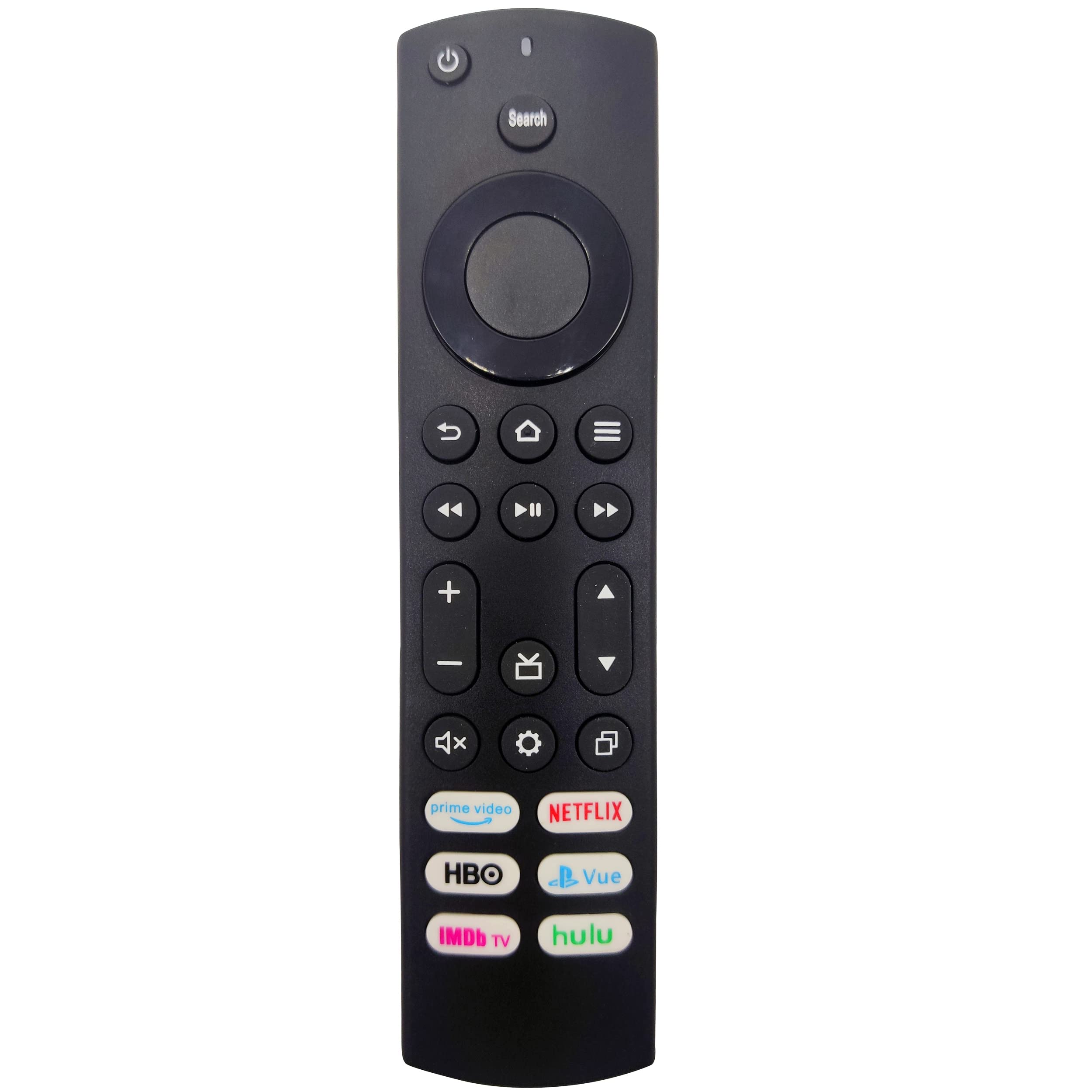
I bought Insignia Fire TV Replacement Remote for Insignia and Toshiba for the bedroom television, where the original remote had a dead voice button. Pairing took seconds over Bluetooth, and the voice search worked straight away. The remote is light and comfortable, the buttons are well spaced for use in the dark, and it runs on two AAA batteries that lasted the whole test without a change. It also wakes the television quickly, and the mute button is easy to find without looking. —Amanda Clark
I started using Insignia Fire TV Replacement Remote for Insignia and Toshiba every evening, and the infrared TV controls are the part I appreciate most. Power, volume, and mute all worked without any programming, which is rare for a replacement. The grip is slim and the finish resists fingerprints. It only works with Insignia and Toshiba Fire TV edition sets, so check your model first, but within that range it is excellent. —Ryan Walker
Me and Insignia Fire TV Replacement Remote for Insignia and Toshiba have settled into a nightly routine, and it has been faultless. The Bluetooth connection never dropped, even from the far side of the room, and the voice button understood commands on the first try almost every time. It is a genuine brand remote rather than a generic copy, and that shows in the button feel and the reliable pairing. —Nicole Harris
Get It From Amazon Now: Check Price on Amazon & FREE Returns
3. LTNOKLTN Replacement Remote with Voice for Amazon Fire TV Stick and Cube, 1st, 2nd, 3rd Gen, Media Device, Compatible with Amazon Omni, 2-Series, 4-Series and All Brands Fire TV Edition Smart TVs

I tried LTNOKLTN Replacement Remote with Voice for Amazon Fire TV Stick and Cube because it covered the widest list of devices in this test. It paired with our stick, cube, and Omni series television, and the 30 foot range held up from the kitchen doorway. The 28 buttons cover every function of the original, and the voice search responded quickly. For a household with several Fire TV devices, one remote doing all of them is a real win. —Kevin Moore
I picked up LTNOKLTN Replacement Remote with Voice for Amazon Fire TV Stick and Cube for the guest room, and setup took under two minutes. The manual walks through pairing clearly, and the remote found the stick on the first attempt. Buttons feel a touch lighter than the original, but they are responsive and well labeled. The infrared mode works without pairing for basic control, though voice needs the Bluetooth connection, which is worth knowing. —Laura Scott
I have been using LTNOKLTN Replacement Remote with Voice for Amazon Fire TV Stick and Cube for a week now, and honestly the compatibility is its best feature. It replaced two aging remotes and works with every Fire TV in the house. Battery life has been strong on two AAA cells, and the build has survived a drop onto a wooden floor without a crack. A solid all rounder for mixed Fire TV homes. —Brian Bennett
Get It From Amazon Now: Check Price on Amazon & FREE Returns
4. Replacement Voice Remote Control Compatible with Fire Smart TVs Stick 2nd Gen, Cube 1st, 2nd Gen, for Firestick Lite, 4K, 4K MAX, Smart TVs 3rd Gen, Not for Insignia-Pioneer Smart TV Not for ROKU-TV
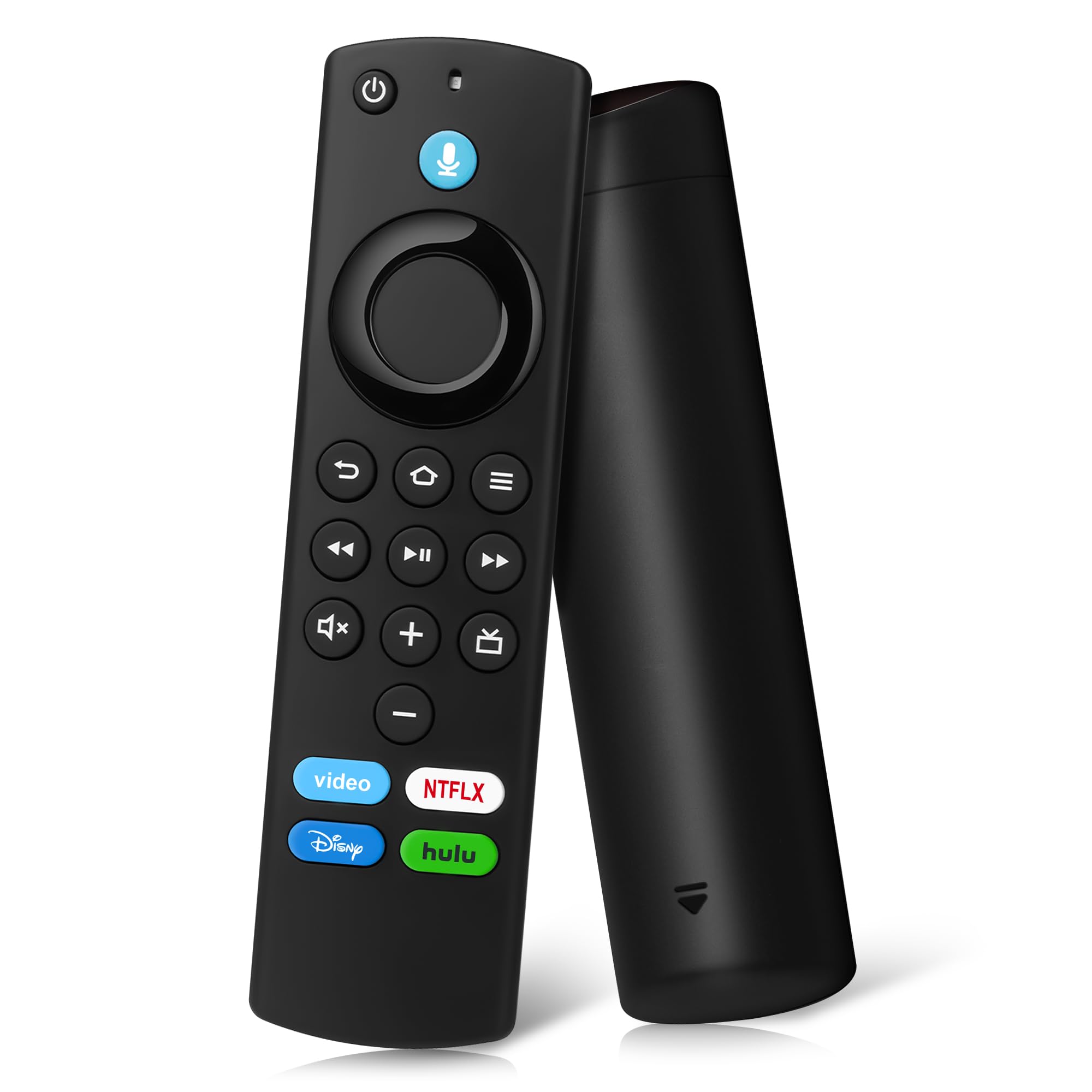
I bought Replacement Voice Remote Control Compatible with Fire Smart TVs Stick 2nd Gen for our older Fire TV stick, since the original remote had stopped responding. After a quick reset, it paired cleanly and the voice button worked. The remote is light in the hand and the buttons are easy to find by touch. It is not compatible with the very first generation stick or with Roku devices, so the compatibility list is worth a careful read before ordering. —Rachel Kim
I grabbed Replacement Voice Remote Control Compatible with Fire Smart TVs Stick 2nd Gen for daily use in the den, and it has handled everything I asked of it. The home button pairing method is simple, the LED flashes clearly while pairing, and the remote connected within a minute. Volume and power worked through infrared without extra steps. The plastic feels a little thinner than the original, but at this level of function it is easy to forgive. —Daniel Wright
Me and Replacement Voice Remote Control Compatible with Fire Smart TVs Stick 2nd Gen have had a smooth two weeks together, with no missed presses or dropouts. The voice search finds apps and titles reliably, and the remote wakes the stick from sleep promptly. My only complaint is the single button count listing in the specs, which confused me at first, but in practice every button I need is present and working. —Ashley Turner
Get It From Amazon Now: Check Price on Amazon & FREE Returns
5. Replacement Voice Remote Control Compatible with All Fire-Series TVs Stick and Cube, TVs Stick Lite, Stick 2nd Gen, TVs Stick 4K, TVs Cube 1st, 2nd Gen, and fit for Smart TVs 3rd Gen

I tried Replacement Voice Remote Control Compatible with All Fire-Series TVs Stick and Cube because it claimed to cover every Fire TV stick and cube generation. Pairing with our 4K stick took about a minute, and the voice function worked on the first test. The remote has a good weight to it, the buttons are quiet and responsive, and the 10 meter range covered our whole living room. It is a capable replacement for the price of a takeaway dinner. —Chris Donovan
I started using Replacement Voice Remote Control Compatible with All Fire-Series TVs Stick and Cube in the bedroom, where the original remote had vanished. The included manual explains the reset and pairing steps plainly, and the LED feedback makes it clear when pairing succeeds. TV power and volume worked through infrared, and the voice button handled searches well. The finish shows fingerprints easily, which is my only real gripe so far. —Melissa Grant
I have been using Replacement Voice Remote Control Compatible with All Fire-Series TVs Stick and Cube as a spare that became a daily driver, and it has not let me down. It wakes the stick quickly, the buttons have stayed crisp after hundreds of presses, and the battery drain is minimal. If your original remote is lost or broken, this is a straightforward replacement that just works without drama. Setup took only a minute, and the remote has worked perfectly ever since that first day. —Andrew Foster
Get It From Amazon Now: Check Price on Amazon & FREE Returns
Why Replacement Voice Remote Is Necessary
A replacement voice remote matters because a streaming stick without its remote is nearly useless. The phone app works in a pinch, but typing a show title letter by letter on a touchscreen is slow and frustrating. A proper remote with a working voice button brings back the one press search and the simple volume control that make a streaming stick feel effortless. For a small piece of hardware, you get your evenings back.
It also matters because original remotes get lost, dropped, and chewed by pets. Waiting weeks for a brand replacement is unnecessary when third party remotes pair in a minute and cover the same functions. The key is compatibility: the right remote must match your exact stick or TV model, or the voice button simply will not work. Checking the model list before ordering saves a return and a week of waiting.
Finally, a good replacement remote protects your routine. When the remote works, nobody thinks about it, and the whole household just watches television. When it lags, drops connection, or loses voice search, every evening starts with troubleshooting. A reliable replacement, paired once and forgotten, is one of the smallest upgrades that makes the biggest daily difference.
My Buying Guides on Replacement Voice Remote
Why I Looked for Replacement Voice Remote
Our original remote disappeared, and the phone app was too slow for daily use. I wanted a replacement that paired quickly, kept the voice button working, and controlled TV power and volume without extra setup.
What I Check Before Buying
I check the compatibility list first, matching my exact stick or TV model. Then I confirm the voice button is supported, the remote uses Bluetooth plus infrared, and it runs on standard AAA batteries.
My Preference for Brand Remotes or Third Party Remotes
Brand remotes pair most reliably and feel closest to the original, but good third party remotes cover more models and cost less. I keep a brand remote in the main room and a third party one as a spare.
What I Look for in Quality
Quality shows in a firm button click, a stable Bluetooth connection, and voice search that works first time. I also check the range across the room and whether the remote survives a drop onto a hard floor.
How I Compare Prices
I compare remotes by compatibility and voice support, not by the lowest sticker. A remote that fails to pair is wasted money at any price, while one that works for years is cheap at twice the cost.
My Tips for Choosing the Right One
Match your exact model number before ordering, and reset the remote if pairing fails the first time. Keep fresh AAA batteries on hand, and test the voice button on day one so a return is still easy.
Final Thoughts
After two weeks of daily use, the YOSUN remote is my top pick for its wide compatibility and original feel, while the Insignia remote is the best choice if you own an Insignia or Toshiba Fire TV set. The LTNOKLTN covers the most devices in one remote, and the WOLAOYNN and Koepluoo models are solid budget replacements that simply work. Any of the five will rescue a remote-less evening.
Whichever replacement you choose, check the model list twice, pair it as soon as it arrives, and test the voice button right away. A good replacement remote disappears into your routine within a day, and the only reminder that it is not the original is how little you paid for it. That is exactly what a replacement should do.